
Smart Glasses · Guide
Lost or stolen Ray-Ban Meta glasses: what to do and what Meta offers
In the pages we read, Meta documents one way to look for lost Ray-Ban Meta glasses: Find device, which shows where the Meta AI app last connected to them. Here is what to do first, where the serial number is for a police or insurance report, and what the warranty doesn't cover.
Part of our Ray-Ban Meta guide
In the pages we read, Meta documents one way to look for lost Ray-Ban Meta glasses: Find device in the Meta AI app, which shows on a map where the app last connected to them. That is where the glasses were, not necessarily where they are now. The pages describe no way to make the glasses ring, lock them or erase them from afar, so most of what follows is about limiting the damage: check the last location, unpair the glasses, get the serial number and know what the warranty won't cover.
This guide is based on Meta's help center and release notes (read Oct. 26, 2026), Ray-Ban's FAQ and warranty terms and our own guides, and we haven't tested Find device.
Check Find device first
Meta added Find device in its Dec. 16, 2025 release notes for Ray-Ban Meta and Oakley Meta glasses, without naming generations. The notes say it lets you "remember where the Meta AI app last connected to your device." To open it, go to Device settings in the Meta AI app, then Privacy & security, then Find device. The notes add: "Once Find device is turned on, you will be able to see the last connected location of all of your devices on a map."
Three limits apply:
- Meta describes Find device as something you turn on. We couldn't confirm whether switching it on after a loss shows an earlier location, so turn it on now if you own a pair.
- Meta's location article lists Find device among the features that need the Meta AI app's location permission.
- The map shows the last place the app connected. Ray-Ban's FAQ gives Gen 2 about 19 hours of standby, according to our battery guide, so a pair left switched on and out of its case runs flat within a day.
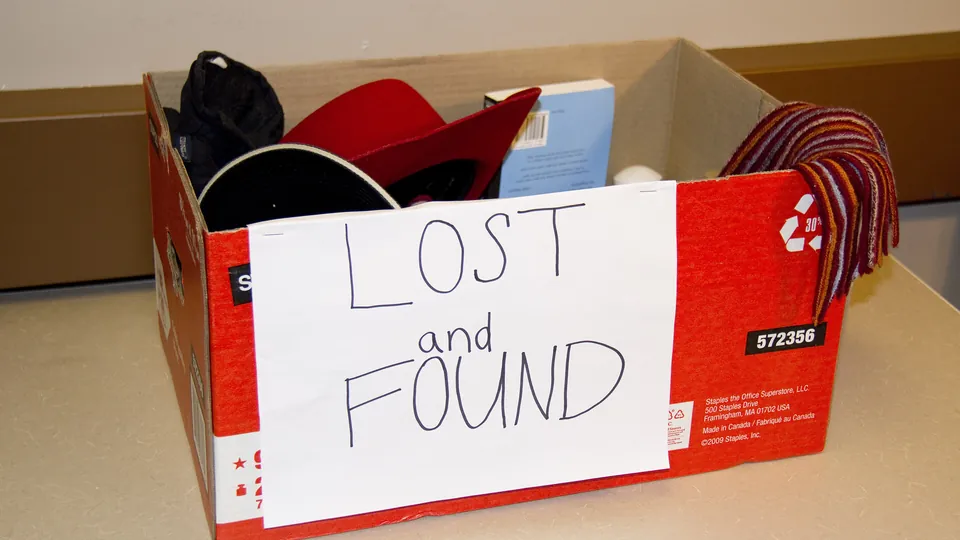
If Find device shows a location after a theft, give it to the police rather than going there yourself. For a loss, retrace your steps: ask the venue's lost and found, the transit agency or the ride-share company, and check bags, pockets and the car.
Unpair the glasses from your account
Check Find device and copy the serial number first, because Meta doesn't say whether an unpaired pair still shows on the map or on the About screen. Then, in the Meta AI app, tap Glasses, then Device settings, your glasses, General, Unpair glasses and Unpair. Meta says unpairing doesn't change or erase your settings.
Unpairing takes the glasses off your app, and it isn't a lock. Meta says a pair works with only one Meta Account at a time, and that glasses tied to another account have to be factory reset before someone else can pair them to theirs. That reset deletes every photo and video on the glasses. The steps, in our factory reset guide, don't mention a login or a passcode.
If the glasses turn up, pair them again from the Meta AI app, as our setup guide explains. For how a Meta Account works with the glasses, see our guide to using them without Facebook or Instagram.
Find the serial number
In the Meta AI app, open your glasses' settings (Glasses, then Device settings), then General, then About. Ray-Ban's FAQ says the glasses' serial number and the case's serial number are both listed there. The glasses' number is also printed on the inside of the left temple. If you no longer have the glasses, the app is the place to look, and our privacy settings guide notes that Meta's Download Your Information tool can include the serial number.
For a police or insurance report, add the model, the purchase date and the seller, and keep the order confirmation. Ray-Ban's FAQ says the product name is printed on the inside of the right temple, and our Gen 2 vs Gen 1 guide shows how to tell the generations apart. Ask the police or your insurer what else they need.
What the warranty and protection plans cover
| Cover | Lost or stolen pair |
|---|---|
| Ray-Ban's limited warranty, which handles Ray-Ban Meta claims even when you bought from Meta | Excluded. The terms list theft, disappearance and misplacement among the damage they don't cover |
| Meta Warranty Plus, which Meta says is currently available in the US and Japan (as of Oct. 26, 2026) | Not listed. The coverage summary we have names accidental damage, cosmetic damage, malfunctions and in-box accessories, so ask Meta Store Support before you rely on it |
| Ray-Ban Protection Plan, bought with the glasses | Not listed. Our price guide describes cover for lenses, frames and wear-and-tear breakdowns |
| Home, renters or device insurance | We haven't checked any policy, so ask your insurer |
Our warranty guide explains what each plan does cover and how to file a claim for a defect. A lost pair isn't a defect, so the warranty won't replace it.
Replace a lost charging case
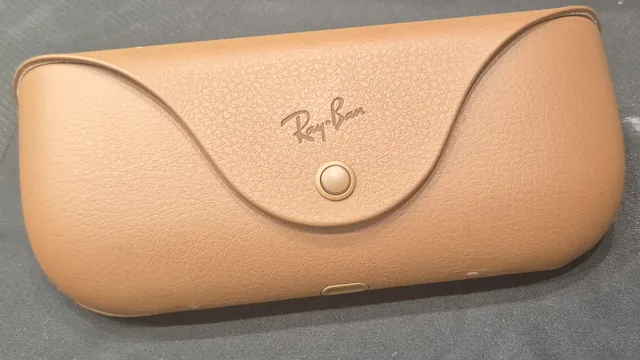
The glasses charge only in their case, so a pair without one slowly runs down. Meta says you can order a replacement or an extra case from meta.com or through the Ray-Ban After Sales Portal, and its two Ray-Ban Meta cases fit different glasses. Ray-Ban's warranty terms exclude damage caused by theft, disappearance or misplacement, so a lost case is yours to replace. Our replacement charging case guide lists which case fits which pair and what Meta's Spanish store charges.
If you found a pair or are buying one used
To pair someone else's glasses with your own Meta Account, Meta says you have to factory reset them first. That wipes the owner's photos, videos and settings, so try to return them first, for example to the place where you found them or to the police.
If you're buying a used pair, our guides to Gen 2 vs Gen 1 and where to buy Ray-Ban Meta give this checklist:
- Ask for the serial number and the receipt or order confirmation. The pages we read from Meta and Ray-Ban describe no way to check whether a serial number was reported stolen.
- Ask the seller to factory reset the glasses, since a pair tied to another account can't be paired with yours.
- Ask how long the battery lasts in real use, because Ray-Ban's FAQ says neither battery can be replaced.
- Expect no Ray-Ban warranty. Its terms aren't available for glasses bought from anyone other than Luxottica or an authorized dealer.
- Compare the price with new stock. Ray-Ban's US store listed the last Gen 1 pairs new from $224 on Oct. 25.
Frequently asked questions
How do I find my lost Ray-Ban Meta glasses?
Open Find device in the Meta AI app (Glasses, Device settings, Privacy & security). Meta describes it as a map of the last place the app connected to your devices, so it isn't live tracking. It has to be turned on.
Can Meta track or disable stolen Ray-Ban Meta glasses?
The Meta pages we read describe no remote lock, remote erase or sound alert for the glasses, only Find device's last connected location. A pair does have to be factory reset before another Meta Account can pair it.
Does the warranty cover lost or stolen Ray-Ban Meta glasses?
No. Ray-Ban's warranty terms exclude damages caused by theft, disappearance or misplacement. Meta Warranty Plus, which Meta says is available in the US and Japan, lists accidental damage and malfunctions in the summary we read, not loss or theft.
Where do I find my Ray-Ban Meta serial number?
In the Meta AI app, open your glasses' settings, then General and About. The glasses' and the case's serial numbers are listed there. The glasses' number is also printed on the inside of the left temple.
Can someone else use my Ray-Ban Meta glasses if they find them?
Not with their own Meta Account until the glasses are factory reset, which Meta says is required because a pair works with one account at a time. The reset deletes the photos and videos stored on the glasses.
Do Ray-Ban Meta glasses work with Apple's Find My or Google's Find Hub?
The Meta and Ray-Ban pages we read don't say they do. The documented option is Find device inside the Meta AI app.
Sources
- Meta Help Center: AI glasses release notes (read Oct. 26, 2026)
- Meta Help Center: Meta AI mobile app and location services on Android and iOS devices (read Oct. 26, 2026)
- Meta Help Center: Meta Warranty Plus protection for AI glasses (availability read Oct. 26, 2026; coverage list from the Jan. 15, 2026 copy summarized in Talaya's warranty guide)
- Ray-Ban: Ray-Ban Meta FAQ, India store (serial number steps, read Oct. 26, 2026)
- Ray-Ban: Ray-Ban Meta safety and warranty guide (2023 edition, theft exclusion read Oct. 26, 2026)
- Meta Help Center: How to find the serial number for AI glasses (archived copy of June 6, 2026, as summarized in Talaya's warranty guide)
- Meta Help Center: How to file a warranty claim for AI glasses (archived copy of June 6, 2026, as summarized in Talaya's warranty guide)
- Meta Help Center: How to pair and unpair AI glasses with the Meta AI app (as summarized in Talaya's setup guide)
- Meta Help Center: How to factory reset AI glasses and charging case (as summarized in Talaya's factory reset guide)
- Meta Help Center: How to order a replacement charging case for Ray-Ban Meta glasses (as summarized in Talaya's replacement case guide)
- Meta Help Center: Manage your voice activity log for AI glasses (Download Your Information, as summarized in Talaya's privacy settings guide)
Join the conversation
Questions, or something to add? Talk about it with other smart glasses owners in r/Talaya, our community on Reddit.

.jpg)