Smart Glasses · Guide
Ray-Ban Meta replacement charging case: how to order one and which fits
Lost, broken or just short of a spare? Meta says you can order a replacement Ray-Ban Meta charging case, but its two cases fit different glasses. Here is how to order one, what it costs and what to do while you wait.
Part of our Ray-Ban Meta guide
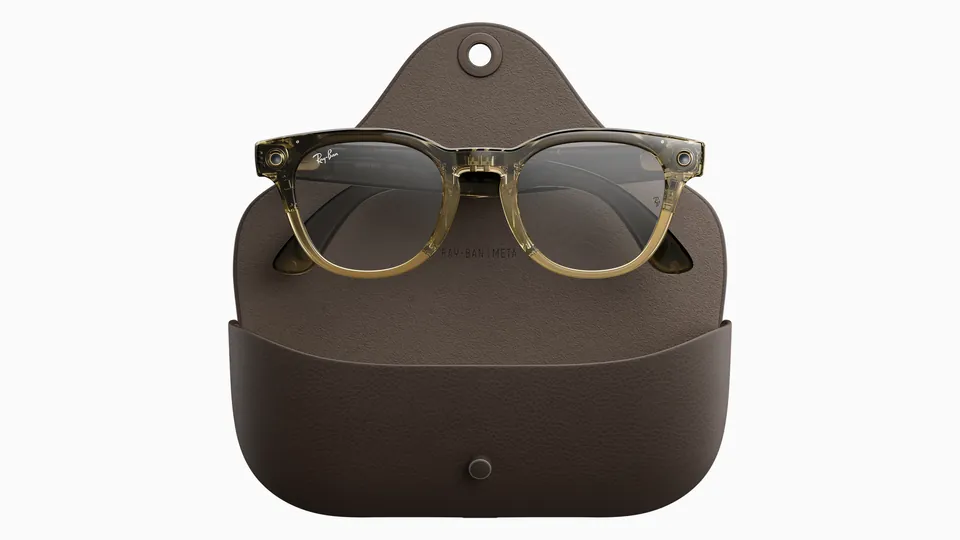
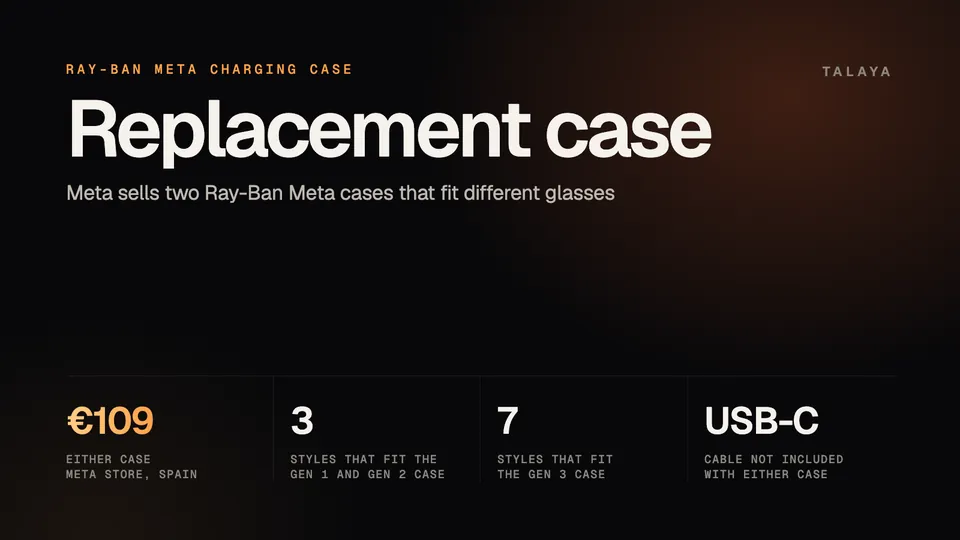
If your Ray-Ban Meta charging case is lost or broken, Meta says you can order a replacement or an extra one from meta.com or through the Ray-Ban After Sales Portal. Check the compatibility list first, because Meta sells two Ray-Ban Meta cases and each fits different glasses. Meta's Spanish store lists both at €109, and we couldn't confirm a US price.
The glasses charge only in their case, so until a new one arrives the battery can only run down. This guide is based on the accessory pages in Meta's Spanish store, Meta's help center, Ray-Ban's safety guide and FAQs, and our own price and warranty guides. We haven't tested the glasses or the cases.
Which case fits your glasses
Each of Meta's two stand-alone cases lists the frames it works with. Meta describes both as identical to the case that comes in the box with the matching glasses, and neither listing includes glasses or a USB-C cable.
| Case | Fits | Meta says it doesn't fit | Price in Meta's Spanish store |
|---|---|---|---|
| Ray-Ban Meta (Gen 1, Gen 2) charging case | Wayfarer, Headliner, Skyler | Gen 2 Optics, Gen 3, Audio, Meta Glasses, Meta Ray-Ban Display, Oakley Meta | €109 |
| Ray-Ban Meta (Gen 3) charging case | Wayfarer, Aviator, Zena, Headliner, Skyler, Blayzer Optics, Scriber Optics | Audio, Meta Ray-Ban Display, Oakley Meta | €109 |
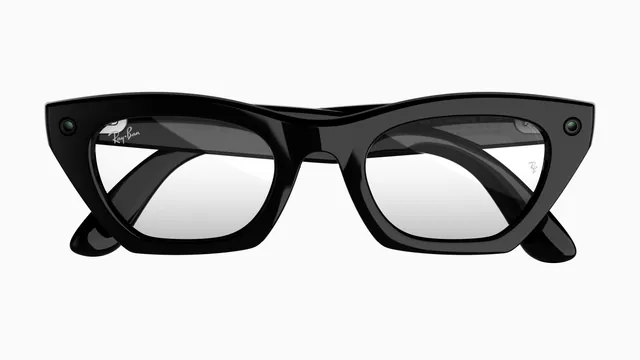
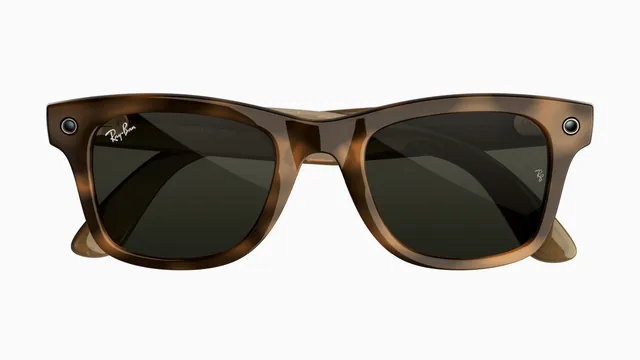
The older case fits the three styles sold with Gen 1 and Gen 2 and nothing newer. The Gen 3 case covers every style in the table. Meta's page calls it identical to the case in a Gen 3 box and adds that "it is also compatible with selected other glasses styles." The Wayfarer exists in all three generations, so if you aren't sure which pair you own, look at the temple. Ray-Ban's FAQ says the product name is printed on the inner right temple, and Gen 2 pairs carry a "(gen 2)" marking on the inner temple. Our styles and sizes guide shows which style belongs to which generation.
If you own Audio, neither case fits, according to Meta's pages. Audio comes with its own case, which Meta says adds up to 48 hours of charge, and we didn't find a stand-alone Audio case in Meta's accessory list, so ask Meta support or the Ray-Ban After Sales Portal. The same list has separate cases for Oakley Meta (€149 each for HSTN and Vanguard) and for Meta Ray-Ban Display, plus an Optics styles case with no price shown.
How to order a replacement or a spare
Meta's help article names two routes: ordering from meta.com, or going through the Ray-Ban After Sales Portal. Meta describes that portal as the system for warranty claims and repairs, and says it works only in certain countries. Elsewhere, use your local Ray-Ban website. Our warranty guide walks through a claim step by step.
- Rule out a charging problem. A case that seems dead may only need another cable, another power adapter or a reset. Our case lights guide and charging problems guide cover those steps.
- Work out which glasses you have, using the temple markings above.
- Match them to the table, then read the "Compatible with" line on the product page before you pay.
- Add the case to your bag in Meta's store, or start the request through the Ray-Ban portal. If you are claiming under warranty, have your proof of purchase and the case serial number ready (the FAQ below says where to find it).
What it costs
In Meta's Spanish store the Gen 1 and Gen 2 case and the Gen 3 case are €109 each, and the listings show free delivery and free returns. Our price guide notes the same €109 for a Gen 3 case and that spare parts are priced locally. No US price turned up in the sources we could read, so check Meta.com and Ray-Ban.com before you order. Neither case comes with a USB-C cable, and Meta's accessory list prices its 18 W power adapter at €49 and a 1 m cable at €29 in Spain.
Does the warranty or a protection plan cover the case?
A lost case is yours to replace. Ray-Ban's warranty terms exclude damages caused by theft, disappearance or misplacement, along with misuse, abuse and accidents. A case that stops working might be covered. Meta says charging problems are among the issues the manufacturer's warranty typically covers, and Ray-Ban's FAQ says that if a case still won't charge after the reset steps, you can request a replacement. Ray-Ban also says the battery in the case can't be replaced, so a worn-out case battery isn't something you can fix yourself.
A case you buy on its own is less clear. The warranty terms exclude "any equipment or components that were not included in, or with your product as originally sold," so ask Meta or Ray-Ban what covers a stand-alone case. Meta's listings carry a "Warranty" label without spelling out the terms.
Meta Warranty Plus, sold in the US and Japan with eligible glasses bought on Meta according to Meta's help center.com, lists the in-box accessories, including the case, among the things it covers. You have to buy it with the glasses. The Ray-Ban Protection Plan costs $64.99 for Ray-Ban Meta, and our price guide describes it as covering lenses, frames, wear-and-tear breakdowns and defects, with no mention of the case. Read the plan's terms before you count on it.
Why the glasses can't charge without a case
Ray-Ban's FAQ says "Using the case is the only method to charge your glasses." They charge through contacts under the nose bridge, and Ray-Ban says the battery inside them can't be replaced, so nothing else charges them directly. The case charges over USB-C. Our battery life guide has charging times.
What to do while you wait
- Switch the glasses off with the power switch, as our turn on and off guide shows, so the battery isn't running down while they sit.
- Keep them in a pouch or hard case in a dry place. Ray-Ban's safety guide gives a storage range of 14°F to 95°F and says not to leave them in a car in direct sunlight.
- Order promptly. The guide warns that a battery that isn't fully recharged every six months from last use "could lead to permanent damage to the battery, which could render the Product inoperable."
- If you're still inside a return window, note that Ray-Ban's return steps ask you to send back the glasses with "all of the accessories, including the charging case."
Third-party cases and chargers
Ray-Ban's safety guide is direct about accessories. It says to "use only the provided charging accessories to charge the Product" and adds: "Use only with original accessories and spare parts. The use with non-approved accessories may permanently damage the Product, void the Luxottica Limited Warranty and increase the risk of injury or damage to other property." The guide doesn't list which accessories count as approved, so the safest reading is to buy cases from Meta or Ray-Ban. The warranty terms point the same way: they exclude damage caused by combining the glasses with "non-Luxottica branded" accessories, parts or components "not supplied or authorized by Luxottica." We haven't evaluated any third-party case, and the two Meta listings above are the only compatibility lists we found from the companies themselves. Ray-Ban's FAQ lists a "Special charging case with Ray-Ban | Meta logo printed on the inside" among the marks that identify Ray-Ban Meta glasses.
Chargers are a separate question. The same FAQ says "the majority of USB-C chargers should work with the charging case," but "some specific chargers" may not, and the usual sign is a case light that keeps pulsing orange or green with no charging icon in the Meta AI app. Our case lights guide explains what to try. The FAQ also advises against storing other brands' glasses in a Ray-Ban Meta case, because it could damage both.
Frequently asked questions
Can you charge Ray-Ban Meta glasses without the case?
No. Ray-Ban's FAQ says "Using the case is the only method to charge your glasses." The case itself charges over USB-C with a cable Meta doesn't include. If the case is the problem, our charging problems guide covers what to try before you order a new one.
Can I use a Gen 2 case with Ray-Ban Meta Gen 3 glasses?
Not according to Meta. Its listing for the Gen 1 and Gen 2 case says it isn't compatible with Gen 3, the Gen 2 Optics frames, Audio, Meta Glasses, Meta Ray-Ban Display or Oakley Meta. The Gen 3 case lists the Wayfarer, Aviator, Zena, Headliner, Skyler, Blayzer Optics and Scriber Optics as compatible.
How much does a Ray-Ban Meta charging case cost?
Meta's Spanish store lists both Ray-Ban Meta cases at €109, with no USB-C cable included. We couldn't verify a US price, so check Meta.com and Ray-Ban.com before you order.
Does the warranty cover a lost Ray-Ban Meta charging case?
No. Ray-Ban's warranty terms exclude damages caused by theft, disappearance or misplacement. A case that stops working may be covered: Ray-Ban's FAQ says to request a replacement if it still won't charge after the reset steps, and Meta Warranty Plus lists the in-box accessories, including the case. Our warranty guide has the details.
Where do I find my Ray-Ban Meta case serial number?
In the Meta AI app, tap Glasses, then Device settings, General and About. The serial numbers of the glasses and the case are listed there. You'll want the case number if you file a warranty claim.
Sources
- Meta Help Center: How to order a replacement charging case for Ray-Ban Meta glasses (title and page description, archived copy of March 12, 2026)
- Meta Store: Ray-Ban Meta (Gen 1, Gen 2) charging case (Spanish store, read Oct. 25, 2026)
- Meta Store: Ray-Ban Meta (Gen 3) charging case (Spanish store, read Oct. 25, 2026)
- Meta Store: AI glasses accessories (Spanish store, read Oct. 25, 2026)
- Meta: Introducing Ray-Ban Meta Audio and More AI Glasses Styles (Sept. 23, 2026)
- Ray-Ban: Ray-Ban Meta safety and warranty guide (2023 edition)
- Ray-Ban: Ray-Ban Meta FAQ, India store
- Ray-Ban: Ray-Ban Meta FAQ, US (archived copy of Nov. 14, 2025)
Join the conversation
Questions, or something to add? Talk about it with other smart glasses owners in r/Talaya, our community on Reddit.