Smart Glasses · Guide
How to turn Ray-Ban Meta glasses on and off, and what the lights mean
The power switch is on the left arm, and a small light inside the frame tells you what the glasses are doing. Here's how to turn them on and off, what each color means and how to restart a pair that won't respond.
Part of our Ray-Ban Meta guide
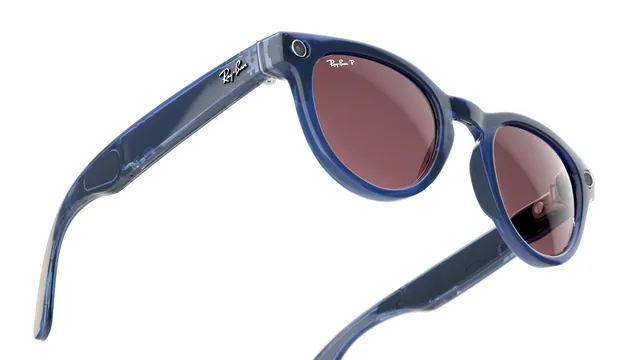
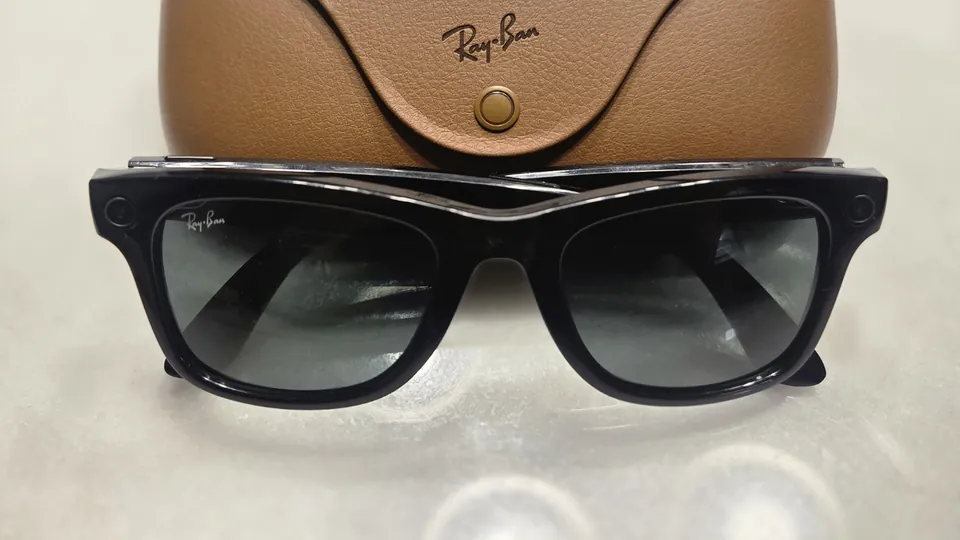
Ray-Ban Meta glasses have a real power switch, a small slider on the left arm. Slide it forward and the glasses start up; slide it back and they're off. A light on the inside of the frame shows what's happening, and it's worth knowing its colors, because the same light tells you when the glasses are pairing, listening or resetting.
This guide is based on Meta's help center and published specifications, with the light colors and restart steps from Ray-Ban's support FAQ.
Turn Ray-Ban Meta on
- Find the power switch on the left arm.
- Slide it toward the front of the glasses, toward the lenses, and hold it until the notification light on the inside of the frame starts blinking white, then let go. Meta's pairing article describes the same move as the first step of setup.
- Wait. The light blinks white while the glasses start up, which can take up to a minute, and turns solid green when they're ready, according to Ray-Ban's US support FAQ.
The white capture LED on the front also lights up as the glasses turn on. It's the same light that signals to people around you that you're taking a photo or video.
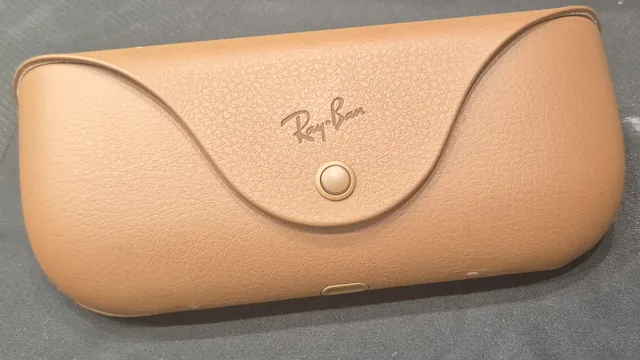
If nothing happens, the battery may be empty. The glasses charge only in their case, so put them back in, close it and let them charge.
Turn Ray-Ban Meta off
Slide the power switch back, away from the lenses. Meta's camera FAQ suggests powering the glasses down when you want complete privacy.
What happens when you take them off or fold them
Ray-Ban's FAQ describes two automatic behaviors. Closing the arms pauses any audio that's streaming, and the glasses reconnect over Bluetooth when you open them again. The glasses also use wear detection to notice when you take them off, which is what pauses and resumes music on its own. If you turn wear detection off in the Meta AI app, the glasses act as if you're wearing them whenever they're on with the arms open.
What the lights mean
The notification LED, on the inside of the frame, according to Ray-Ban's FAQs and Meta:
| Light | What it means |
|---|---|
| Blinking white | The glasses are turning on |
| Solid green | The glasses are on and ready |
| Blinking blue | Bluetooth pairing mode |
| Pulsing white | Meta AI is listening after "Hey Meta" |
| Solid orange | A factory reset has started |
The capture LED, on the front, is white. It blinks briefly for a photo and keeps blinking while you record video, and Meta says in its privacy Q&A that it has no off switch.
The case LED, on the front of the charging case, according to Meta and Ray-Ban:
| Light | What it means |
|---|---|
| Flashing blue | The glasses in the case are ready to pair |
| Green (case open, glasses out) | The case has more than 80% charge |
| Orange (case open, glasses out) | The case has less than 80% charge |
| Blinking red (glasses out) | The case is out of battery |
| Pulsing orange (glasses in) | The glasses are charging |
| Green (glasses in) | The glasses are fully charged |
| Red (glasses in) | The glasses aren't charging, or the case is empty |
A solid or pulsing red light when you dock the glasses signals a charging error. Ray-Ban's FAQ for India says it happens when the glasses or case are too hot or when there's liquid on them; move them somewhere cooler, or dry the nose bridge and the case and try again.
Restart a frozen pair
Ray-Ban suggests a restart when the glasses misbehave, and says it won't delete photos and videos you haven't imported or unpair the glasses from the app.
- Slide the power switch back to turn the glasses off.
- Wait a few seconds.
- Slide it forward again. The glasses reconnect to the app on their own.
If that doesn't help, do a forced restart: press and hold the capture button while you slide the power switch back to turn the glasses off, slide it forward to turn them on again, then let go of the capture button. Ray-Ban says it can take a few minutes for the glasses to reconnect to the app afterward.
If they still won't turn on
Ray-Ban's checklist:
- Put the glasses in the case and charge them for an hour. Make sure the charging contacts on the case and on the glasses are clean. A pulsing orange case light means they're charging.
- If there's no charging light, try another outlet, cable or USB-C charger.
- Slide and hold the power switch for 5 to 10 seconds and watch for the white light, then the green one.
- If they still don't start after several hours of charging, contact support about a warranty replacement.
Meta Ray-Ban Display works a little differently: Meta says a red line appears next to its power switch when the glasses are off, in its Display guide.
For the rest of the buttons, see our guide to Ray-Ban Meta touchpad controls.
Frequently asked questions
Where is the power switch on Ray-Ban Meta glasses?
On the left arm. Slide it toward the front of the glasses to turn them on and back, away from the lenses, to turn them off.
Do Ray-Ban Meta glasses turn off when you fold them?
Ray-Ban says folding them pauses any audio that's playing and that they reconnect over Bluetooth when you open them again. The power switch is what turns them off.
Why won't my Ray-Ban Meta glasses turn on?
The battery may be empty. Put them in the charging case for an hour, check that the charging contacts are clean, then slide and hold the power switch for 5 to 10 seconds.
What does the white light on the front of Ray-Ban Meta mean?
That's the capture LED. It blinks when you take a photo, keeps blinking while you record video and also lights up briefly when the glasses first turn on.
Does restarting Ray-Ban Meta glasses delete my photos?
No. Ray-Ban says a restart or a forced restart doesn't erase captures you haven't imported or unpair the glasses. Only a factory reset erases them.
Sources
- Meta Help Center: How to pair and unpair AI glasses with the Meta AI app
- Meta Help Center: How to turn on and start using Meta Ray-Ban Display
- Ray-Ban: Ray-Ban Meta FAQ, US store (archived Nov. 14, 2025)
- Ray-Ban: Ray-Ban Meta FAQ (India store)
- Meta Newsroom: Meta's AI glasses, your questions answered (July 7, 2026)
- Meta: Camera glasses, capture hands-free photos and videos
Join the conversation
Questions, or something to add? Talk about it with other smart glasses owners in r/Talaya, our community on Reddit.