Smart Glasses · Guide
Which apps work with Ray-Ban Meta glasses: music, calls, fitness and more
Meta lists music, calling, sharing, fitness and accessibility apps for its glasses, and a toolkit for third-party apps is rolling out. Here is what each one does and which glasses and countries it needs.

Part of our Ray-Ban Meta guide
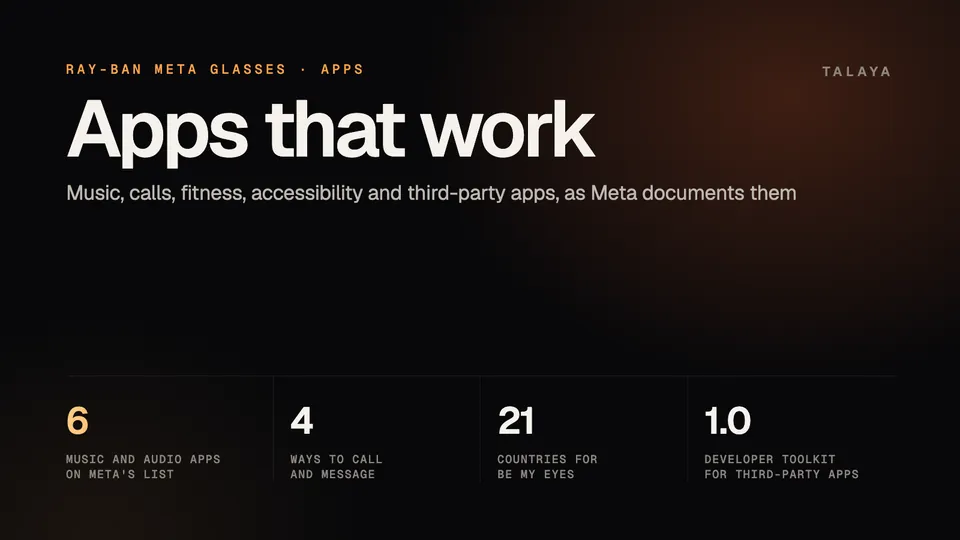
Meta documents apps for its glasses in five groups: music and audio, calls and messages, sharing and livestreaming, fitness, and accessibility. Most connect through the Meta AI app, Garmin's live features need a Garmin device, and several apps are limited by model, country or language. Anything not on Meta's lists still plays through the glasses over Bluetooth, the way it would with headphones. Third-party apps built on Meta's Wearables Device Access Toolkit are newer. Version 1.0 began rolling out on Sept. 30, 2026, and Meta says the place to find those apps in the Meta AI app is coming soon.
This guide is based on Meta's, Garmin's, Strava's and Be My Eyes' own pages as summarized in our detailed guides, and on Meta's developer FAQ, release notes and Connect recap, read Oct. 26, 2026. We haven't tested the apps.
What works, at a glance
| App | What you can do | Glasses and countries | Our guide |
|---|---|---|---|
| Spotify | Play music and podcasts by voice; ask for a song that matches what you're looking at | Voice commands in English wherever Meta's glasses are supported; the match-the-view feature is English only, in 19 countries | Music and podcasts |
| Apple Music | Play and control music by voice | iPhone only | Music and podcasts |
| Amazon Music | Play and control music by voice | English, wherever Meta's glasses are supported | Music and podcasts |
| Audible | Listen to audiobooks | US only | Music and podcasts |
| iHeart | Live radio, playlists and podcasts | US only | Music and podcasts |
| Shazam and Music Info | Identify a song that's playing | Wherever Meta's glasses are supported | Music and podcasts |
| Voice and video calls, messages, photos and videos, group voice chats | All Ray-Ban Meta and Oakley Meta glasses can call and message; video calls that share your view need a camera | Calls and messages | |
| Messenger | Voice and video calls, messages | Same as WhatsApp | Calls and messages |
| Voice and video calls, messages, sending a video to your Story | Same as WhatsApp | Calls and messages | |
| Phone calls and texts | Place and answer calls, dictate texts | All Ray-Ban Meta and Oakley Meta glasses | Calls and messages |
| Facebook and Instagram Live | Stream from the glasses' camera | Ray-Ban Meta (Gen 1) only, per Meta; Gen 3 isn't mentioned | Livestreaming |
| Garmin | Voice stats, a status light and autocapture during workouts | US only; needs a compatible Garmin device and Garmin's Meta AI app | Garmin and Strava |
| Strava | Put pace, distance and heart rate on photos and videos and sync them to your activity | All Oakley Meta and Ray-Ban Meta glasses except Ray-Ban Stories | Garmin and Strava |
| Apple Health and Health Connect | Activity summaries in the Meta AI app | Not specified in the pages we read | Garmin and Strava |
| Be My Eyes | Hands-free video calls with sighted volunteers or a trusted friend | 21 countries; needs a Ray-Ban or Oakley Meta pair with a camera | Accessibility |
| Google and Outlook calendars, email | Ask Meta AI about your schedule; have email read aloud | English, in the US and Canada | Meta AI guide |
Music and audio
Meta's audio page lists Spotify, Amazon Music, Apple Music, Shazam and Music Info for every country where its glasses are supported, in English, and Audible and iHeart for the US. You connect a service once in the Meta AI app, then ask Meta AI to play something. Spotify also has a feature, added in December 2025, that plays a song to match what you're looking at. Meta's announcement lists 19 countries for it, in English only.
Other audio on your phone, including apps Meta doesn't list, plays through the glasses over Bluetooth, and "Hey Meta, play" commands work only with the connected services. Our music and podcasts guide has the setup steps, the touchpad gestures and what people nearby can hear.
Calls, messages and sharing
WhatsApp, Messenger, Instagram and your phone's own calls and texts all work by voice: say "Hey Meta, call" or "Hey Meta, send a message to" and a name. Connect the three Meta apps in the Meta AI app first. On WhatsApp, Messenger and Instagram video calls you can switch to the glasses' camera so the other person sees your view, but the glasses have no screen, so you won't see them. Ray-Ban Meta Audio has no camera, so it can't share a view. Our calls and messages guide has the steps.
Meta's release notes also list WhatsApp voice chats. You start a group voice chat from WhatsApp on your phone, then "stash it and go" while you keep listening to music, taking captures and hearing workout stats, and you mute or unmute by voice or with the action button if your glasses have one. The notes don't name models.
For sharing, Meta's examples include "Hey Meta, send my last video to my Instagram Story" and sending a picture to a contact on WhatsApp. Livestreaming is narrower. Meta's camera page says it is only available on Ray-Ban Meta (Gen 1), to Facebook or Instagram, and it doesn't mention Gen 3. We found no Meta or Ray-Ban instructions for YouTube or TikTok. Our livestream guide has the steps and the limits.
Fitness and health
Strava is a connection you switch on in the Meta AI app, under Glasses, Settings, Apps, Strava. It puts stats such as pace, distance and heart rate on photos and videos and, when you share to Strava, syncs them with the activity you recorded at the time. Strava says it works with all Oakley Meta and Ray-Ban Meta glasses except Ray-Ban Stories.
Garmin's features take more setup. Voice stats, a status light inside the frames and autocapture need Garmin's Meta AI app from the Connect IQ Store on a compatible Garmin smartwatch or cycling computer, plus the Meta AI app on your phone, and Garmin says the integration is currently available only in the US. Garmin's own page names Oakley Meta Vanguard and HSTN, and its Connect IQ listing names the Oakley Meta and Ray-Ban Meta collections. Meta's setup steps also list Apple Health and Health Connect by Android as other App Connections for activity summaries. Our Garmin and Strava guide covers setup and limits.
Accessibility
Be My Eyes connects you with a sighted volunteer, or with a trusted friend or family member, on a hands-free video call that uses the glasses' camera. After you link the two apps, you say "Hey Meta, Be My Eyes." Be My Eyes lists 21 countries as of Aug. 14, 2026, and you need Ray-Ban or Oakley Meta AI glasses; Ray-Ban Stories aren't supported. Meta's May 18, 2026 post also names two third-party apps for the glasses: OOrion, for locating objects, reading text and detecting obstacles, and Aira, for trained visual interpreters. It doesn't say where they are available. Our accessibility guide has the setup steps.
Calendars, email and live translation
Meta AI can connect to Google or Outlook calendars, and since May it can read your email aloud, both in English in the US and Canada, according to our Meta AI guide. Live translation needs no separate app, and our live translation guide covers its languages and offline packs.
Third-party apps and Meta's toolkit
Outside the apps above, third-party apps reach the glasses through the Wearables Device Access Toolkit, which lets iOS and Android apps use the glasses' camera, microphone, audio and motion data, plus "Hey Meta" invocation. Meta's developer FAQ says version 1.0 follows a year in developer preview and "begins rolling out September 30, 2026." It lists these glasses as supported: Ray-Ban Meta (Gen 1 and Gen 2), Meta Ray-Ban Display, Oakley Meta HSTN and Oakley Meta Vanguard. It doesn't list Ray-Ban Meta (Gen 3), Ray-Ban Meta Audio or Meta Glasses.
For people who own the glasses, the discovery side is unfinished. The FAQ says two discovery surfaces are coming, including a list of curated experiences in the Meta AI app, and that developers will "soon" be able to submit experiences to be published there. It also says developers everywhere can download the toolkit but only those in countries where Meta supports its AI glasses get its full capabilities. Meta's Connect recap for developers adds two other routes: web apps for Meta Ray-Ban Display, and Meta AI connectors, in developer preview, which let a service with an API plug into Meta AI.
Meta doesn't publish a list of finished toolkit apps in the pages we read. The third-party apps we can name for the glasses are OOrion and Aira, from Meta's accessibility post, and Meta hasn't said whether they use the toolkit. Until the in-app list exists, check an app's own page for the glasses it supports.
Looking for something that isn't here
ChatGPT isn't on Meta's list. Meta's glasses use Meta AI, and neither Meta nor OpenAI documents ChatGPT on them, as our ChatGPT guide explains. To see what your own pair supports, open the Meta AI app, tap Glasses, then Device settings, and scroll to Experiences. Meta's display glasses have their own app launcher, covered in our Meta Ray-Ban Display guide.
Frequently asked questions
What apps work with Ray-Ban Meta glasses?
Meta documents Spotify, Amazon Music, Apple Music, Shazam, Audible and iHeart for audio; WhatsApp, Messenger, Instagram and your phone for calls and messages; Strava, Garmin, Apple Health and Health Connect for fitness; and Be My Eyes for accessibility. Anything else on your phone plays through the glasses over Bluetooth.
Does Ray-Ban Meta work with Spotify?
Yes. Connect Spotify in the Meta AI app and ask Meta AI to play music or podcasts. Meta lists voice commands in English wherever its glasses are supported, and a separate feature that plays a song to match what you're looking at, in English in 19 countries.
Can I use YouTube Music or another app that isn't on Meta's list?
You can play it on your phone and hear it through the glasses over Bluetooth, but "Hey Meta, play" commands only work with the connected services.
Can I use third-party apps on Ray-Ban Meta glasses?
Developers can build them with Meta's Wearables Device Access Toolkit, which began rolling out in version 1.0 on Sept. 30, 2026. Meta's developer FAQ lists Ray-Ban Meta Gen 1 and Gen 2, Meta Ray-Ban Display and Oakley Meta HSTN and Vanguard as supported, and says a list of curated experiences in the Meta AI app is coming soon.
Do Ray-Ban Meta glasses work with Strava and Garmin?
Strava says its overlays work with all Oakley Meta and Ray-Ban Meta glasses except Ray-Ban Stories. Garmin's live features are currently available only in the US and need a compatible Garmin device. Our Garmin and Strava guide has the setup steps.
Does ChatGPT work on Ray-Ban Meta glasses?
Meta's glasses use Meta AI, and neither Meta nor OpenAI documents ChatGPT on them in the pages we read. Our ChatGPT guide covers which wearables do offer it.
Sources
- Meta for Developers: Wearables FAQ (read Oct. 26, 2026)
- Meta for Developers: Meta Connect recap, how to build for AI glasses and reach an audience (read Oct. 26, 2026)
- Meta Help Center: AI glasses release notes (archived copy of Sept. 21, 2026)
- Meta Newsroom: Updates to Meta AI Glasses: Conversation Focus, Spotify Integration, and More (Dec. 16, 2025)
- Meta: Open-ear audio and Bluetooth on AI glasses
- Meta: Hands-free calling and messaging on AI glasses
- Meta: Camera glasses, capture hands-free photos and videos
- Garmin: Oakley Meta AI glasses
- Strava Help Center: Meta glasses and Strava
- Be My Eyes Help Center: Meta AI Glasses FAQ (updated Aug. 14, 2026)
- Meta Newsroom: Our AI wearables are "changing the game" for disabled people (May 18, 2026)
Join the conversation
Questions, or something to add? Talk about it with other smart glasses owners in r/Talaya, our community on Reddit.