Smart Glasses · Guide
How to play music and podcasts on Ray-Ban Meta: Spotify, Apple Music and more
Ray-Ban Meta glasses work like open-ear headphones for anything on your phone, and a handful of services also work by voice. Here's which ones, how to connect them and how much the people around you will hear.
Part of our Ray-Ban Meta guide
Ray-Ban Meta glasses have open-ear speakers built into the frame, so anything your phone plays can come out of your glasses, just as it would with Bluetooth headphones. A few music and audio services go further: once you connect them in the Meta AI app, you can ask Meta AI to play a song, an album or a podcast without touching your phone.
This guide is based on the audio guides Meta publishes for its AI glasses, with the touchpad gestures from Ray-Ban's support FAQ. Meta lists the same music services for Oakley Meta glasses.
Which apps work with voice control
| Service | Where it works | Notes |
|---|---|---|
| Spotify | Everywhere Meta's glasses are supported | Voice commands in English |
| Amazon Music | Everywhere Meta's glasses are supported | Voice commands in English |
| Apple Music | Everywhere Meta's glasses are supported | iPhone only |
| Shazam and Music Info | Everywhere Meta's glasses are supported | Included in Meta's list |
| Audible | US only | Audiobooks |
| iHeart | US only | Live radio, playlists and podcasts |
That list comes from Meta's audio page, which says the services work "in English everywhere AI glasses are supported." Anything not on it still plays through the glasses over Bluetooth; you just control it from your phone or with the touchpad instead of by asking Meta AI.
Connect a music service
You link Spotify, Apple Music or Amazon Music to your glasses through the Meta AI app on your phone, Meta says. You connect each service once in the app and follow its prompts; after that, voice requests go straight to it.
For iHeart, the company's own instructions add one step: open the iHeart app and tap Allow when it asks for playback controls. iHeart says the integration is available to iPhone and Android users in the US.
Play something by voice
Once a service is connected, start with "Hey Meta" and say what you want:
- "Hey Meta, play California Dreamin'." (one of Meta's own examples)
- "Hey Meta, play" followed by the name of a podcast.
- "Hey Meta, pause the music."
Meta's hands-free guide says you can also skip tracks and change the volume by voice. In its May guide to its glasses lineup, Meta added a less obvious trick: you can ask Meta AI to play a song on Spotify that matches what you're looking at.
Control playback with the touchpad
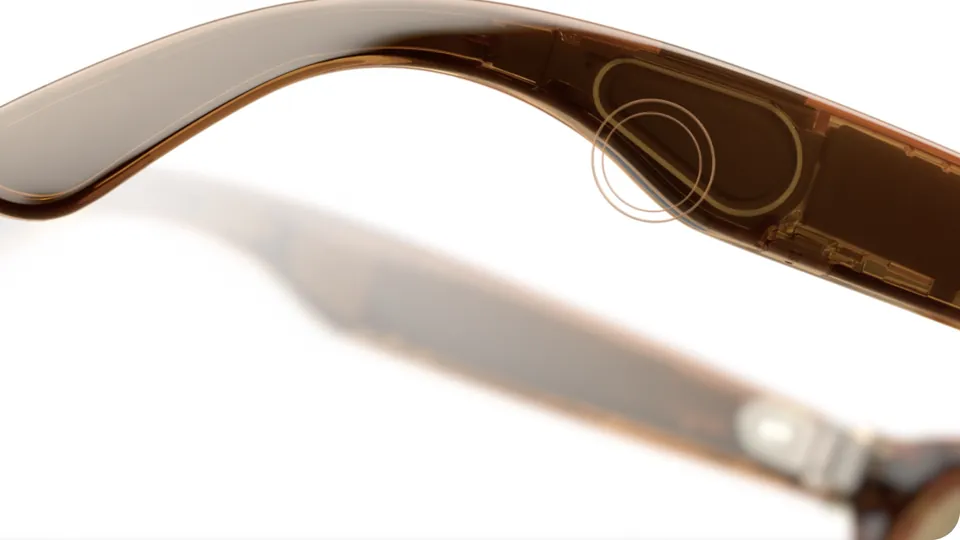
The touchpad is on the right arm, which Meta and Ray-Ban call the right temple. Ray-Ban's support FAQ lists these gestures:
| Gesture | What it does |
|---|---|
| Tap once | Pause or resume |
| Double tap | Skip forward |
| Triple tap | Skip back |
| Swipe forward | Volume up |
| Swipe back | Volume down |
Our touchpad guide covers the rest of the gestures and the Gen 3 action button.
Two things pause your audio on their own. Answering a call pauses playback, Meta says, and Ray-Ban notes that closing the glasses pauses streaming too; when you open them again, they reconnect over Bluetooth.
Can people hear your music?
Some, at times. Meta says audio from Ray-Ban Meta and Oakley Meta glasses "is directional and designed to be heard primarily by you," but in quiet places or at higher volumes "others nearby may hear faint sounds." Elsewhere Meta describes what bystanders hear as "only a faint hum." On a quiet train or in an office, keep the volume down.
Balance, mono and the audio-only model
At Connect in September, Meta announced two audio options for every wearer of its AI glasses: audio balance, which shifts sound toward your left or right ear, and mono audio, which sends all sound to one side.
If music matters more to you than photos, Ray-Ban Meta Audio, Meta's first audio glasses, started shipping Oct. 13 from $349 and lasts up to 12 hours on a charge. Our comparison with Gen 3 explains the trade-offs.
Frequently asked questions
Can people hear your music on Ray-Ban Meta glasses?
A little, sometimes. Meta says the audio is directional and meant mainly for you, but people nearby may hear faint sound in quiet places or when the volume is high.
Do Ray-Ban Meta glasses work with Apple Music?
Yes, on iPhone. Meta lists Apple Music as iOS only. On Android you can still play it over Bluetooth, but not control it by voice through the glasses' integration.
Can I listen to audiobooks on Ray-Ban Meta?
In the US, yes: Meta lists Audible among the services you can connect. Elsewhere you can play an audiobook app on your phone and listen through the glasses over Bluetooth.
Can I use YouTube Music or another app that isn't on the list?
Yes. Meta says you can play audio from other sources on your phone and hear it through the glasses. Voice commands like "Hey Meta, play" only work with the connected services.
How do I turn the volume up or down?
Swipe forward on the touchpad on the right arm to turn it up and back to turn it down, or ask Meta AI to change the volume.
Sources
- Meta: Open-ear audio and Bluetooth on AI glasses
- Meta: Discover the world with multimodal AI glasses
- Meta: Hands-free calling and messaging on AI glasses
- Ray-Ban: Ray-Ban Meta FAQ, US store (archived Nov. 14, 2025)
- Meta Newsroom: The biggest news from Connect 2026 (Sept. 24, 2026)
- iHeart: iHeartRadio integrates with Ray-Ban Meta glasses (June 23, 2025)
- Meta Newsroom: Which AI glasses are right for you? (May 8, 2026)
Join the conversation
Questions, or something to add? Talk about it with other smart glasses owners in r/Talaya, our community on Reddit.