Smart Glasses · Guide
How to make calls and send messages from Ray-Ban Meta glasses
Ray-Ban Meta glasses can place calls, dictate messages and send photos on WhatsApp, Messenger, Instagram and your phone's own calling and texting. Here's how to connect each one and what to say.

Part of our Ray-Ban Meta guide
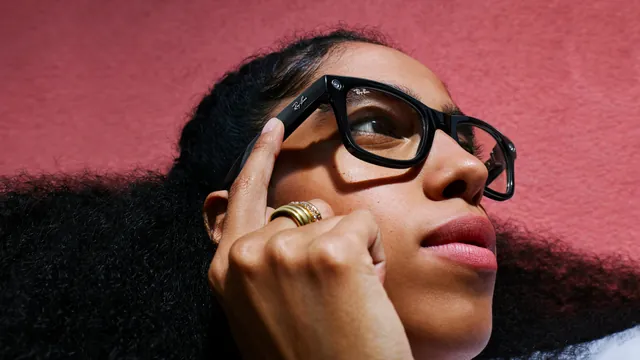
Ray-Ban Meta glasses work as a hands-free headset for your phone, and Meta AI can place the call or write the message for you. Meta lists four ways to talk to people from the glasses: WhatsApp, Messenger, Instagram and your phone's regular calls and texts.
This guide is based on Meta's guides to calling and messaging on its AI glasses and on Ray-Ban's support FAQ. Meta says all Ray-Ban Meta and Oakley Meta glasses can make calls and send messages.
What you can do
| Messenger | Your phone | |||
|---|---|---|---|---|
| Voice calls | Yes | Yes | Yes | Yes |
| Messages by voice | Yes | Yes | Yes | Texts |
| Video calls that share your view | Yes | Yes | Yes | Not listed |
That's how Meta describes it on its hands-free communication page. You can also record and send voice messages, and a short audio cue tells you who's calling or texting so you can decide whether to answer.
Before you start: connect your apps
Calls and messages run through the apps on your phone, so those apps need to be installed, signed in and linked to your glasses.
- Open the Meta AI app with your glasses connected.
- Go to the communication settings for your glasses.
- Connect WhatsApp, Messenger and Instagram, and follow the prompts in each app to allow access.
Meta's POV guide gives the same advice before you try to send photos or videos by voice: link your messaging and social accounts in the app's communication settings first.
Make a call
Say "Hey Meta, call" and the person's name. Meta's own example, from its concert guide, is "Hey Meta, call Alex," for finding your group between sets.
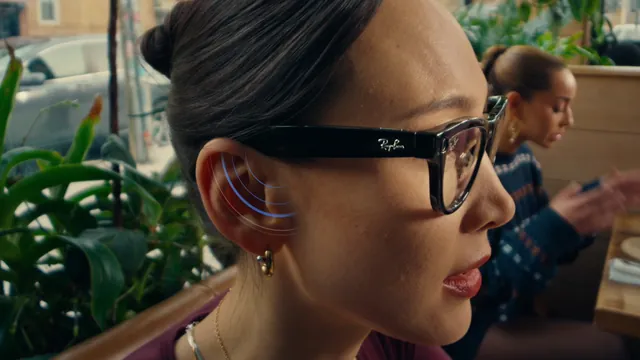
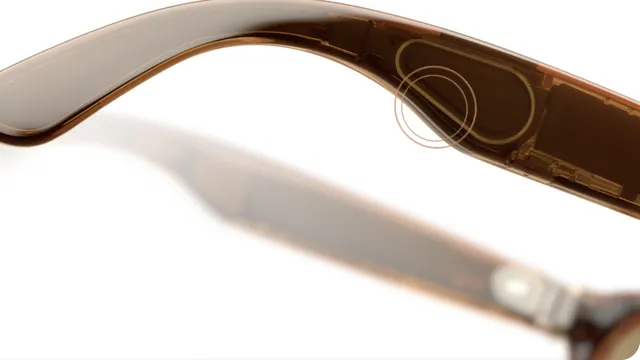
You hear the caller through the open-ear speakers, and the microphones in the frame pick up your voice. Meta says the six-microphone array on Ray-Ban Meta Gen 3 cuts more than 90% of background noise, which helps on windy or crowded streets, according to its Gen 3 announcement.
When a call comes in, you can answer by voice. If music is playing, it pauses automatically when you pick up.
Send a message
Say "Hey Meta, send a message to" and the contact's name, then dictate what you want to say. Meta says dictation works for WhatsApp, Messenger, Instagram and regular texts. If you'd rather not type at all, you can record and send a voice message instead.
You can send photos and videos the same way. Meta's examples include "Hey Meta, send a video to" a contact, "Send a picture to" a contact "on WhatsApp," and "Hey Meta, send my last video to my Instagram Story."
Make a video call that shows your view
On WhatsApp, Messenger and Instagram, you can switch a video call to the glasses' camera, so the person you're talking to sees what you see. Meta pitches it for moments like getting a second opinion in a store or sharing the view from a trail. Ray-Ban notes in its FAQ that you can share your view with only one app at a time.
Ray-Ban Meta glasses have no screen, so you won't see the other person during a video call. That's one of the differences with Meta Ray-Ban Display, which shows who you're talking to in the lens and lets you preview a message before you send it, according to Meta.
If calls or messages don't work
Ray-Ban's support FAQ points to a few usual suspects, using Messenger on iPhone as the example:
- Update the messaging app and make sure you're signed in.
- Check that the app has Bluetooth permission in your phone's settings.
- Leave the app running in the background, since closing it can interrupt hands-free calling and messaging.
- Disconnect the app in the Meta AI app and connect it again.
If people say you sound broken up or very quiet, Ray-Ban says the microphones may need adjusting, and the Meta AI app has a microphone troubleshooting setting for that.
For the full list of things you can ask Meta AI, see our guide to Ray-Ban Meta voice commands.
Frequently asked questions
Can you make regular phone calls on Ray-Ban Meta glasses?
Yes. Meta says you can place and answer calls on WhatsApp, Messenger, Instagram or your phone, by voice, through the glasses' speakers and microphones.
Can Ray-Ban Meta glasses send text messages?
Yes. You can dictate messages on WhatsApp, Messenger, Instagram or as regular texts, according to Meta. Start with "Hey Meta, send a message to" and the contact's name.
Can I make a video call from my Ray-Ban Meta glasses?
Yes, on WhatsApp, Messenger and Instagram. The other person sees your point of view from the glasses' camera instead of your face.
Will I know who's calling?
Yes. Meta says an audio cue tells you who's calling or texting, so you can decide whether to answer or reply.
Can I send a photo I just took?
Yes. Once your accounts are linked, say something like "Hey Meta, send a picture to" a contact on WhatsApp. Meta also gives "Hey Meta, send my last video to my Instagram Story" as an example.
Sources
- Meta: Hands-free calling and messaging on AI glasses
- Meta: Guide to shooting POV with AI glasses
- Meta: Capturing concerts with AI glasses from Meta (April 2, 2026)
- Meta: Discover the world with multimodal AI glasses
- Meta Newsroom: Introducing Ray-Ban Meta Audio and more AI glasses styles (Sept. 23, 2026)
- Meta: Bluetooth glasses, style meets connectivity
- Ray-Ban: Ray-Ban Meta FAQ (India store)
Join the conversation
Questions, or something to add? Talk about it with other smart glasses owners in r/Talaya, our community on Reddit.