Smart Glasses · Guide
How to livestream from Ray-Ban Meta glasses, and which models support it
Meta says only the first-generation Ray-Ban Meta can livestream, to Facebook or Instagram. Ray-Ban's FAQ has the steps, but we found no stream limit, audio detail or battery figure from either company.

Part of our Ray-Ban Meta guide
Only the first-generation Ray-Ban Meta can livestream, according to Meta. Its camera page says "Live-streaming is only available on Ray-Ban Meta (Gen 1)" and that newer models, including Gen 2, Oakley Meta HSTN and Oakley Meta Vanguard, don't support it. The page doesn't mention Gen 3, and Ray-Ban Meta Audio has no camera. Where the feature works, the stream goes to Facebook or Instagram. We found no Meta or Ray-Ban documentation for YouTube or TikTok.
This guide is based on Meta's camera page and 2023 launch announcement, Ray-Ban's FAQ and a German privacy regulator's report. We haven't tested the glasses.
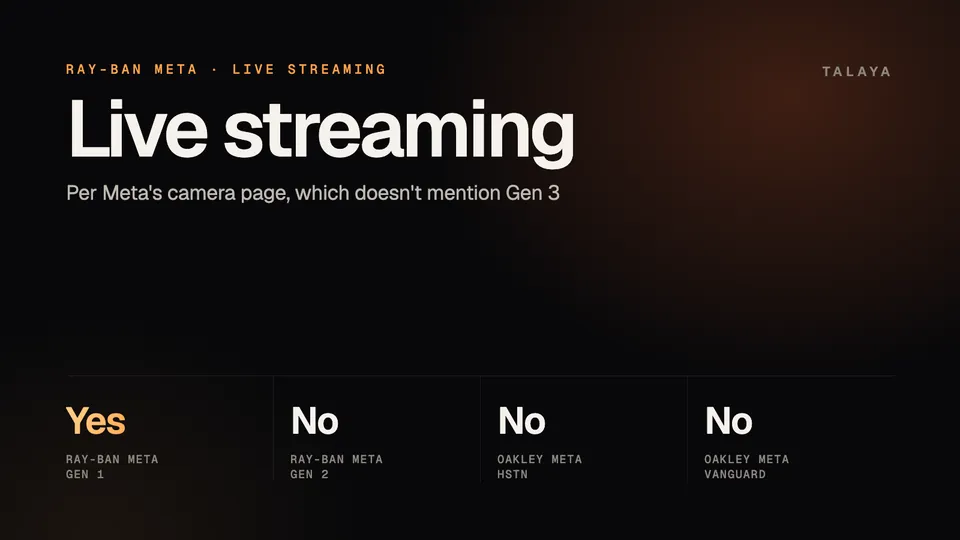
Which glasses can livestream
| Glasses | Live streaming, according to Meta |
|---|---|
| Ray-Ban Meta (Gen 1) | Supported |
| Ray-Ban Meta (Gen 2) | Not supported |
| Oakley Meta HSTN | Not supported |
| Oakley Meta Vanguard | Not supported |
| Ray-Ban Meta (Gen 3) | Not mentioned |
| Ray-Ban Meta Audio | No camera |
Gen 3's status is open. The camera page isn't dated and doesn't mention it, Meta's Sept. 23 announcement of Gen 3 doesn't list live streaming among its features, and Ray-Ban's FAQ, which also covers Gen 3, gives livestream steps without saying which generations support them. Ask Meta Support to confirm what your pair does. Our customer support guide lists who to contact.
If live streaming is the reason you're buying, Meta's page points to Gen 1. Ray-Ban's US store listed the last Gen 1 pairs from $224 on Oct. 25, and our Gen 2 vs Gen 1 comparison covers what you give up. That advice comes from specifications, so check Meta's page again before you buy.
How to go live on a Gen 1 pair
These steps are from Ray-Ban's FAQ. They start in the Facebook or Instagram app, not on the glasses.
- Connect the glasses to the Meta AI app.
- Open Facebook or Instagram, start a new post in the composer and choose Live Video or Live.
- Tap the toggle that appears beside your preview to connect the glasses. The glasses' video can take about five seconds to show. If the toggle doesn't appear, force-close the app and reopen it.
- On an iPhone, accept the Wi-Fi prompt, which appears every time you connect, and the Local Network prompt, which appears once.
- Once connected, your followers can watch. Tap the toggle again to switch between the phone's camera and the glasses' camera. Controls such as flip camera and filters aren't available while the glasses camera is selected.
When you finish, the FAQ says you may need to "reset the glasses and close other apps before streaming again." It doesn't say which kind of reset. A restart keeps your photos and your pairing, while a factory reset deletes the media on the glasses, so try the restart first. Our factory reset guide covers both.
You can stream or share your view to only one app at a time, Ray-Ban says. You can't stream to Instagram while you share your view on a WhatsApp call.
Accounts and requirements
Meta and Ray-Ban list only Facebook and Instagram. Ray-Ban's FAQ describes live streaming as a way to "connect with your followers in real time," and its steps use the composer in each app.
Hamburg's data protection office says in its September report that only Instagram users with a public account and at least 1,000 followers can start a live stream, and cites Instagram's help center. Instagram's rules can change, so check its page before you plan a stream. The pages we read don't say what Facebook requires, or whether you can stream from a Facebook Page rather than a profile.
Comments, quality and limits
Meta's 2023 launch post says you can see comments in your preview or "tap and hold on the side of your glasses to hear them out loud." It doesn't say what viewers hear, and the Ray-Ban pages we read don't either. We found no published maximum stream length, resolution or battery figure for live streaming from either company.
Ray-Ban's FAQ says live video from the glasses is lower resolution than recorded video from the glasses or your phone. It gives four ways to improve it:
- Use a strong 5G Wi-Fi or cellular signal.
- Stay close to your phone.
- Keep the phone in a front pocket or in front of you.
- Disconnect other Bluetooth devices.
The FAQ calls video capture "a power heavy use case" but says nothing specific about streaming. Gen 1 is rated for up to four hours of moderate use, according to our battery life guide.
If the stream drops
For a Bluetooth connection error while streaming, Ray-Ban's FAQ says to move closer to your phone, keep it in front of you or in a front pocket, disable Wi-Fi on the phone, and turn off or disconnect other Bluetooth devices. Its separate Android guidance for video calls says to turn Wi-Fi on and turn off any VPN and hotspot, so if the first set doesn't help on Android, that is the other documented option. Our connection guide has the rest.
The capture light and the people in frame
Hamburg's data protection office found that the outward-facing light turns on for photos and videos, for live streaming on Instagram and Facebook, and for video calls. Meta says the light has no off switch. As our recording light guide explains, the regulator also found it hard to see outdoors. A stream broadcasts whatever the camera sees, including bystanders, so check the consent rules in our guide to recording laws first.
If your glasses can't livestream
On WhatsApp, Messenger and Instagram video calls, you can switch the call to the glasses' camera so the other person sees what you see, according to Meta. Our calls guide has the details. You can also record a clip and send it afterward by voice, as in "Hey Meta, send my last video to my Instagram Story," one of Meta's examples. Our photos and video guide covers that and the recording limits.
Frequently asked questions
Can Ray-Ban Meta Gen 2 or Gen 3 livestream?
Meta's camera page says live streaming is only available on Ray-Ban Meta (Gen 1) and that Gen 2 doesn't support it. The page doesn't mention Gen 3, and Meta's Gen 3 announcement doesn't list it as a feature, so ask Meta Support about your pair. Our customer support guide lists who to contact.
Can I livestream from Ray-Ban Meta to YouTube or TikTok?
We found no Meta or Ray-Ban instructions for either. The documented feature goes to Facebook and Instagram, and its steps start in those apps.
Do I need 1,000 followers to go live from my glasses?
For Instagram, Hamburg's data protection office says only users with a public account and at least 1,000 followers can start a live stream, citing Instagram's help center. Instagram's rules can change, so check its page. We found nothing on what Facebook requires.
How do I see comments while I stream from Ray-Ban Meta?
Meta's 2023 launch announcement says comments show in your preview, or you can tap and hold on the side of your glasses to hear them out loud.
Does the recording light stay on during a live stream?
Hamburg's data protection office found that the outward-facing light turns on for live streams on Instagram and Facebook, as it does for photos, videos and video calls. Meta says the light has no off switch.
Why is my Ray-Ban Meta livestream blurry?
Ray-Ban's FAQ says live video from the glasses is lower resolution than recorded video. It suggests a strong 5G Wi-Fi or cellular signal, staying close to your phone, keeping the phone in a front pocket or in front of you, and disconnecting other Bluetooth devices.
Sources
- Meta: Camera glasses, capture hands-free photos and videos (checked Oct. 25, 2026)
- Meta Newsroom: Introducing the New Ray-Ban | Meta Smart Glasses (Sept. 27, 2023)
- Meta Newsroom: Introducing Ray-Ban Meta Audio and More AI Glasses Styles (Sept. 23, 2026)
- Ray-Ban: Ray-Ban Meta FAQ, India store
- Hamburg Commissioner for Data Protection: final report on Ray-Ban Meta AI Glasses (Sept. 10, 2026, PDF)
Join the conversation
Questions, or something to add? Talk about it with other smart glasses owners in r/Talaya, our community on Reddit.