Smart Glasses · Guide
Ray-Ban Meta not connecting or keeps disconnecting: the fixes Meta recommends
Most dropped connections between Ray-Ban Meta glasses and a phone come down to Bluetooth range and interference. Here are Meta's fixes in order, from moving your phone to a factory reset.
Part of our Ray-Ban Meta guide
When Ray-Ban Meta glasses won't connect to your phone, or keep dropping the connection, Meta's first suggestions are all about Bluetooth: move closer to the phone, keep it in front of you or in a front pocket, and turn off or disconnect other Bluetooth devices. If the problem comes back, restart the glasses, then force restart them, then unpair them and pair them again from the Meta AI app. A factory reset comes last, because it erases the photos and videos stored on the glasses.
This guide is based on Meta's help center. Meta groups Oakley Meta HSTN glasses with Ray-Ban Meta in its power and restart instructions, so the same steps apply to them.
Start with the quick checks
- Move closer. Keep your phone near you, in front of you or in a front pocket.
- Disconnect other devices. Turn off or disconnect other Bluetooth devices from your phone.
- Check the phone. Meta's pairing checklist asks for Bluetooth turned on, an active Wi-Fi connection and the latest version of the Meta AI app.
A drop when you fold the glasses is normal
Folding the glasses pauses the audio. Meta says audio streaming pauses when you close the arms, and the glasses reconnect to your audio source over Bluetooth when you open them again. If the glasses drop and reconnect each time you fold and unfold them, this is the reason.
Restart the glasses
A restart is quick and safe. Meta says it won't erase any photos or videos you haven't imported and won't unpair the glasses from the app.
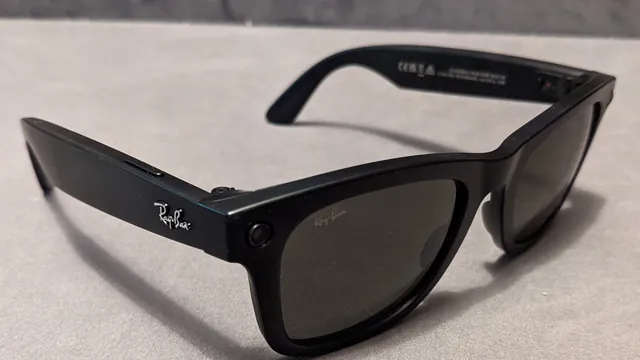
- Slide the power switch back to turn the glasses off.
- Wait a few seconds, then slide it forward to turn them on again.
The glasses reconnect to the app on their own once they've woken up.
Force restart if a normal restart doesn't help
A force restart also keeps your photos and your pairing, Meta says.
- Slide the power switch back to turn the glasses off.
- Press and hold the capture button.
- Keep holding it and slide the power switch forward to turn the glasses on.
- Let go of the capture button as soon as the status LED turns red.
Give the glasses a few minutes to reconnect afterward. If they don't, Meta's next step is to unpair them from both the Meta AI app and your phone's Bluetooth list and pair them again. These steps are for Ray-Ban Meta and Oakley Meta HSTN glasses. Meta's restart article has separate instructions for Oakley Meta Vanguard and Meta Glasses.
Unpair the glasses and pair them again
To unpair the glasses, according to Meta:
- In the Meta AI app, tap Glasses in the top right.
- Tap Device settings. If you have more than one device paired, swipe left or right to select your glasses first.
- Under Glasses, tap your glasses, then tap General.
- Tap Unpair glasses, then Unpair.
Then open your phone's Bluetooth settings and choose Forget for the glasses if they're still listed. Meta says unpairing won't change or erase any settings.
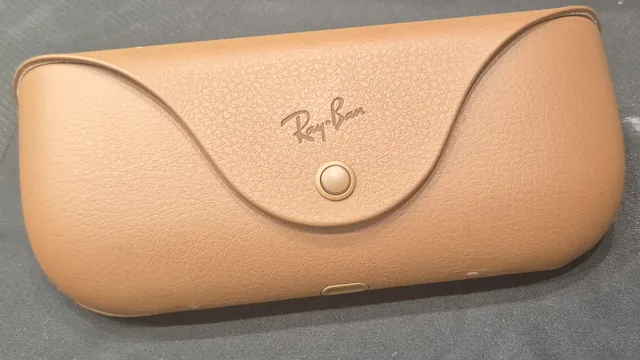
To pair again, always start from the Meta AI app rather than your phone's Bluetooth menu. Turn the glasses on, put them in the case and wait for the case light to flash blue, then tap Glasses and Add in the app and follow the instructions. If the case light won't turn blue, see our guide to pairing mode problems.
On Android: live streams and video calls
If the connection is poor while you live-stream or make a video call from the glasses with an Android phone, Meta suggests three settings on the phone: turn Wi-Fi on, turn off any VPN and turn off the hotspot.
Meta also lists a known issue on Pixel phones running Android 14: while you share your view on a call, the connection may lag or drop. Locking the phone helps, and you can keep sharing your view with the screen off.
If only one app won't connect
When the glasses work but a connected app doesn't, Meta's app connection steps are to update the glasses, update both the Meta AI app and the other app, disconnect and reconnect the app under App connections in the Meta AI app, and restart the glasses.
Keep the software current
The Meta AI app downloads updates for the glasses automatically and tells you when one is available, Meta says. To check by hand, tap Glasses, then Device settings, choose your glasses, tap Updates and tap Check.
Last resort: a factory reset
If the glasses still won't pair, or if they were previously paired with a different phone, Meta recommends a factory reset. It deletes every photo and video stored on the glasses, so import anything you want to keep first. Our factory reset guide has the steps and what to do afterward.
When to contact Meta support
If none of this keeps the glasses connected, Meta's advice is to contact Meta Store Support. You'll find the Get support button at the bottom of any article in its AI glasses help center, along with a link to Meta's community forum, where other owners answer questions.
Frequently asked questions
Can Ray-Ban Meta glasses connect to two phones?
Meta says the glasses can pair with only one Meta account at a time. If they were previously paired with a different phone, Meta recommends a factory reset before you pair them again, and someone else can't pair them to their account until you reset them.
Why do my Ray-Ban Meta glasses disconnect when I fold them?
That's expected. Meta says audio streaming pauses when you close the arms, and the glasses reconnect to your audio source over Bluetooth when you open them again.
Will unpairing delete my photos or settings?
Meta says unpairing won't change or erase any settings, and that a restart or force restart won't delete your captures. A factory reset is the step that deletes the photos and videos stored on the glasses.
Do Ray-Ban Meta glasses need Wi-Fi?
Meta's pairing checklist asks for Bluetooth on and an active Wi-Fi connection on your phone. Ray-Ban's FAQ adds that when you import photos or install updates, the app connects directly to a temporary Wi-Fi network from the glasses.
Sources
- Meta Help Center: How to fix a Bluetooth connection error on AI glasses
- Meta Help Center: How to restart AI glasses
- Meta Help Center: How to pair and unpair AI glasses with the Meta AI app
- Meta Help Center: How to fix pairing issues with AI glasses
- Meta Help Center: What to do if an app won't connect to your AI glasses
- Meta Help Center: How to update AI glasses
- Meta Help Center: How to adjust volume and control audio on AI glasses
- Meta Help Center: How to factory reset AI glasses and charging case
- Meta Help Center: AI glasses support
- Ray-Ban: Ray-Ban Meta FAQ
Join the conversation
Questions, or something to add? Talk about it with other smart glasses owners in r/Talaya, our community on Reddit.