Smart Glasses · Guide
Meta Ray-Ban Display navigation: how walking directions work and where you can use them
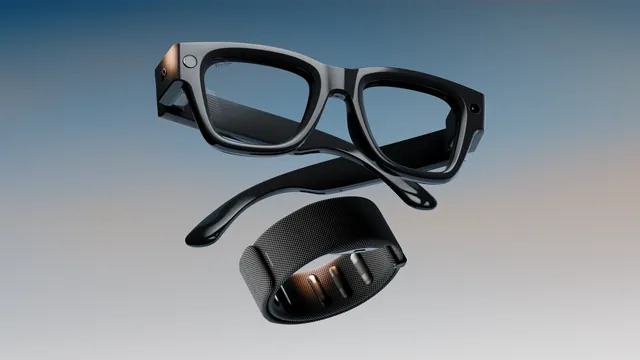
Meta Ray-Ban Display shows a map and turn-by-turn walking directions in the right lens. Meta says walking navigation covers every US city and international cities such as London, Paris and Rome, driving isn't supported, and cycling and transit directions are announced for the US and Canada.
Part of our Meta Ray-Ban Display guide
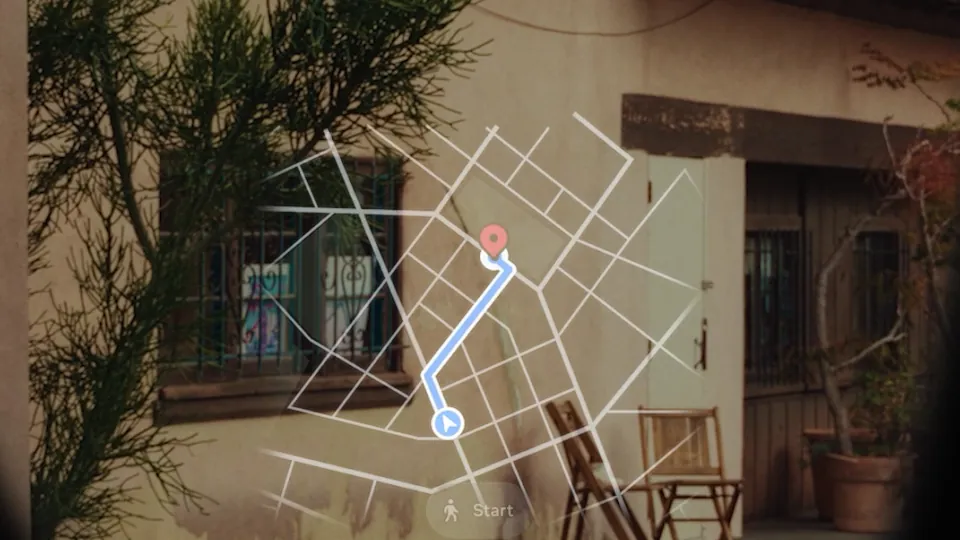
Meta Ray-Ban Display shows turn-by-turn walking directions with a map in its right lens and reads the turns aloud through the open-ear speakers. Meta's July 27, 2026 update post lists "turn-by-turn walking navigation in every US city." Driving isn't supported, and on Sept. 23, 2026, Meta announced cycling directions and live transit departures for the US and Canada.
This guide is based on Meta's announcements and navigation guide and on Ray-Ban's Meta Ray-Ban Display FAQ, which we read in a copy archived on May 13, 2026. We haven't tested the glasses.
How navigation works on the Display
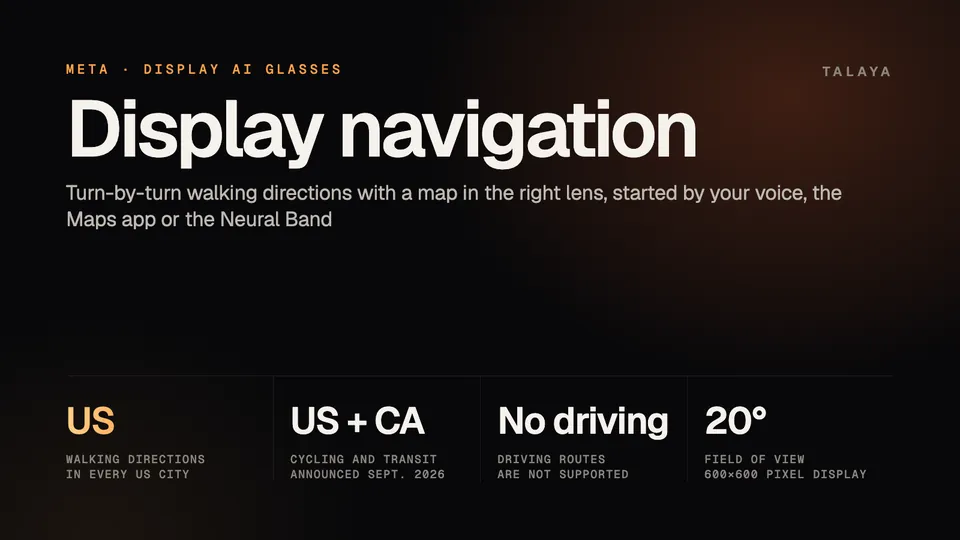
Navigation relies on your phone. For tasks such as plotting a route, Meta's navigation guide says the glasses "tap into Meta AI through your phone" and use location and map data. The Maps app then shows a mini-map with upcoming turns and landmarks in the right lens, and the speakers read the directions. The display is 600 by 600 pixels with a 20-degree field of view (our Display guide has the full specs). If you drift off route, Meta says Meta AI recalculates it. Ray-Ban's FAQ says the Maps data comes from Overture and OpenStreetMap, two open map data sources.
How to start directions
You can start from the Maps app, with your voice, or by handwriting a request with the Neural Band.
From the Maps app
- From the display menu, swipe down and select Maps.
- Choose Dictation Search and say the place you want, or swipe right to pick Cafes, Restaurants, Parks or Attractions and choose a spot on the map.
- Select the place, then select Start. After you pick a place you can also select Call to phone it, or Share to Phone to send the location to your phone's navigation app.
- While you walk, select the compass icon to switch the map between always facing north and rotating toward the direction you're facing. Select the speaker icon to mute the spoken directions, or End to stop.
With the Neural Band on, you scroll by swiping your thumb along your index finger, select by tapping your index finger on your thumb and go back by tapping your middle finger on your thumb. To zoom the map, hold your index finger to your thumb and turn your wrist clockwise to zoom in or counterclockwise to zoom out, according to Ray-Ban's FAQ. The touchpad on the right arm also scrolls and selects. Our Neural Band explainer lists every gesture.
With your voice
Ray-Ban's FAQ gives "Hey Meta, navigate me to" plus a place, and "Hey Meta, find restaurants near me" for recommendations. Meta's guide uses "Hey Meta, take me to" plus a destination. It also lists "Hey Meta, next turn" and "Hey Meta, repeat the last directions" for hearing your next turn or the last directions again, and "Hey Meta, where's the nearest" plus a type of place for nearby search.
By handwriting
If you'd rather not speak, Early Access users in the US and Canada can double-tap their thumb to open Meta AI, choose Write and handwrite a request with a finger on any surface. Meta's July update post says that works for asking questions, playing music, sending a message or navigating.
Where walking directions work
Meta's pages describe the rollout differently, so here are the statements in date order.
- Sept. 17, 2025: Meta said it would "launch pedestrian navigation for select cities in beta and will continue to add more over time."
- May 13, 2026: Ray-Ban's FAQ, in an archived copy, said navigation was "currently in beta and is only available in select cities."
- July 27, 2026: Meta's update post listed "turn-by-turn walking navigation in every US city."
Meta's navigation guide, which shows no date, still said when we read it on Oct. 25, 2026, that real-time pedestrian navigation "is in Beta and only available in selected cities." We've followed the newest dated statement, the July update.
The Meta pages we read don't include a city list. None of them say whether walking directions work in the UK, Canada, France, Italy or Germany, where the glasses went on sale on Sept. 23 (UK and Canada) and Oct. 13 (France, Italy and Germany). If navigation is why you're buying there, ask the store or Meta first. Our release dates guide lists what's sold where.
| Feature | Where Meta says it works | Status |
|---|---|---|
| Walking directions | Every US city | In use, per the July 27, 2026 update |
| Cycling directions and live transit departures | US and Canada | Announced Sept. 23, 2026, to start "later this month" |
| Landmark-based walking directions | Not stated | Announced Sept. 23, 2026, with no date |
For cycling and transit, Meta says you ask by voice and the glasses show "turn-by-turn cycling directions or real-time transit departures" on the display. The landmark feature changes the wording of walking directions: Meta says the glasses will use the world in front of you rather than street signs, so they'll say "turn left at the yellow house" instead of "turn left at Third Street."
What navigation can't do
- Meta's guide says "Driving routes aren't currently supported." For a drive, Share to Phone sends the destination to your phone's navigation app.
- The glasses depend on your phone. The Meta AI app is required to use them, and Ray-Ban's FAQ says its location permission must be set to "Always on/Allow all the time" and "Precise" for local search and navigation. Meta doesn't say whether navigation keeps going when your phone has no data connection.
- The map is small: it appears on a 600-by-600-pixel display in one lens, which Meta says sits off to the side so it doesn't block your view.
Privacy and battery
Navigation runs on your phone's precise location. The Meta AI app uses it to make local search and pedestrian navigation work, and the permission has to be "Always on" and "Precise" in your phone's app settings. For how Meta stores and protects data, its accessibility page points to the Meta Help Center and regional privacy pages. For people near you, Meta says only 2% of the display's light leaks out, so they shouldn't be able to read your map (see our Display guide).
Meta rates the glasses at up to six hours of mixed-use battery life per charge, plus up to 24 hours from the charging case. The pages we read give no separate figure for navigation.
Display navigation or your phone?
The glasses put directions in your line of sight, so you glance up instead of down, and Meta's pitch is that you can "keep your phone in your pocket." You steer the map with finger gestures, your voice or the touchpad.
You still carry the phone that supplies your location. The feature covers walking, with cycling and transit announced for the US and Canada, so your phone's navigation app is the tool for driving and for anywhere Meta's coverage doesn't reach. Share to Phone hands a destination across when you need it.
Ray-Ban Meta glasses have no display, but they can give walking directions by voice in selected cities, according to Meta (see our voice commands guide). If directions are the reason you're weighing the $799 Display, our comparison with Ray-Ban Meta Gen 3 covers what else the screen adds, including live captions and translation.
Other smart glasses with walking directions
Snap Specs lay walking directions over the street as arrows, with optional voice guidance, according to our Specs guide. Even Realities announced its G1 display glasses in 2024 with turn-by-turn directions (explainer). Google has named turn-by-turn navigation as something its in-lens display glasses could do, but said at I/O in May that audio glasses launch first (guide).
Frequently asked questions
Does Meta Ray-Ban Display work for driving directions?
No. Meta's navigation guide says driving routes aren't currently supported. In the Maps app, Share to Phone sends a destination to your phone's navigation app.
Which cities does Meta Ray-Ban Display navigation work in?
Meta's July 27, 2026 update post lists walking navigation in every US city, and its May 14, 2026 release notes add international cities "such as London, Paris, Rome and more." Meta hasn't published a full city list.
Do I need my phone to use navigation on Meta Ray-Ban Display?
Yes. The glasses need the Meta AI app, and Ray-Ban's FAQ says the app's location permission must be set to Always on and Precise for local search and navigation to work.
Can Meta Ray-Ban Display give cycling or transit directions?
Meta announced turn-by-turn cycling directions and real-time transit departures for the US and Canada on Sept. 23, 2026, and said they would start later that month. You ask for them by voice.
Can I start navigation without using my voice?
Yes. Open Maps from the display menu and use the Neural Band or the touchpad to search or pick a place. Early Access users in the US and Canada can also handwrite a request to Meta AI with the Neural Band.
Where does the map data come from?
Ray-Ban's FAQ says the Maps data comes from Overture and OpenStreetMap, which it describes as the world's largest sources of open map data.
Sources
- Meta: New features for Meta Ray-Ban Display (Sept. 23, 2026)
- Meta blog: Making Meta Ray-Ban Display more useful to more people (Sept. 23, 2026)
- Meta blog: Meta Ray-Ban Display gets Threads and a new version of Meta AI (July 27, 2026)
- Meta: Meta Ray-Ban Display, AI glasses with an EMG wristband (Sept. 17, 2025)
- Meta: GPS navigation with AI glasses (navigation guide, read Oct. 25, 2026)
- Ray-Ban: Meta Ray-Ban Display FAQ (read in the Wayback Machine copy of May 13, 2026)
Join the conversation
Questions, or something to add? Talk about it with other smart glasses owners in r/Talaya, our community on Reddit.