Smart Glasses · Guide
Meta Ray-Ban Display live captions and translation: how to use them, languages and limits
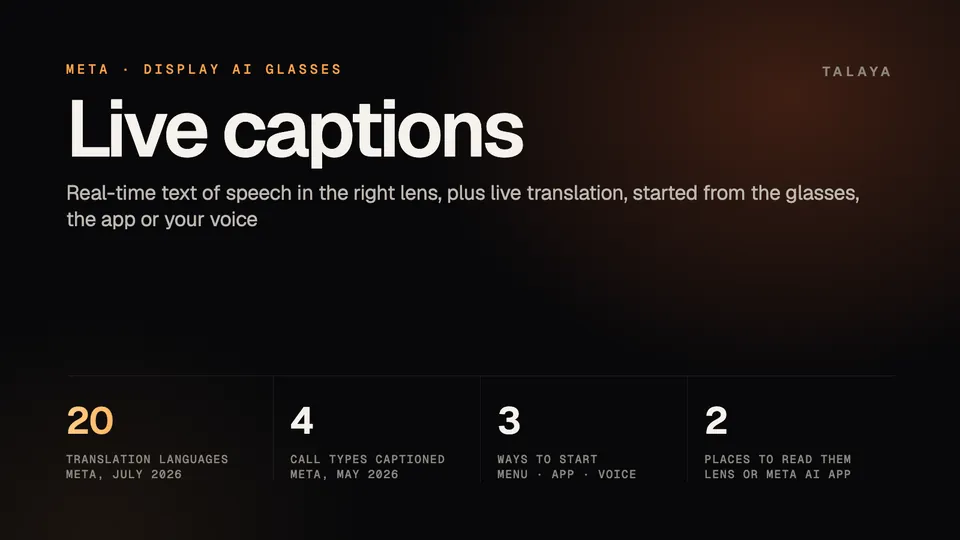
Meta Ray-Ban Display can show speech as text in the right lens and translate conversations. You start both from the glasses menu, the Meta AI app or your voice, and Meta says translation covers 20 languages.

Part of our Meta Ray-Ban Display guide
Meta Ray-Ban Display can show what people say as text in your right lens. Live captions give you "a text transcription of speech in real time," in Ray-Ban's words, and live translation helps you follow and join a conversation in another language. You can start either one from the glasses menu, the Meta AI app or your voice. Meta says translation covers 20 languages, but the pages we read don't name them.
This guide is based on Meta's announcements and accessibility pages and on Ray-Ban's Meta Ray-Ban Display FAQ, which we read in a copy archived on May 13, 2026. We haven't tested the glasses.
Our Display guide covers the rest of what the glasses do, and our navigation guide covers walking directions.
How live captions work
Captions are meant for the person talking to you. Meta's launch post says the glasses can "display captions for the speech that's directed at you," and Ray-Ban's FAQ advises: "For best results, face the person who is talking." The captions appear on the glasses' display or in the Meta AI app.
They also work on calls. In a May 18, 2026 post, Meta said it had recently introduced real-time captions during phone, WhatsApp, Facebook Messenger and Instagram Direct voice calls that "show what the other person is saying right on your in-lens display."
How to turn live captions on and off
To start captions:
- On the glasses: from the app launcher, swipe down and select Captions, then choose Captions.
- In the app: open the Meta AI app, tap the glasses icon at the bottom right, tap Captions, then tap Start.
- By voice: say "Hey Meta, start captions."
The first time, you need to download the language you want to caption in the Meta AI app.
To stop, say "Hey Meta, stop live captions," tap your middle finger on your thumb with the Neural Band, tap three fingers on the glasses' touchpad, or tap Stop in the app.
How live translation works
Ray-Ban's FAQ says live translation lets you "understand speech or listen to audio" in the supported languages. In a conversation, you see the other person's words translated on the display or in the Meta AI app, and your replies are translated for them to read in the app or to listen to.
To start translation:
- On the glasses: from the display menu, swipe left and select Captions, then swipe right and select Speech Translate.
- In the app: tap the glasses icon, tap the gear icon, tap Translate, choose your languages, tap Continue and tap Start. If you have more than one device paired, pick the right one before you tap Translate. A chime on the glasses tells you translation has begun.
- By voice: say "Hey Meta, start live translation." You can change the languages in the app.
To stop, say "Hey Meta, stop live translation" or use any of the other ways to stop captions. The first time, you download the languages you pick.
Which languages work
| Source | What it says | Date |
|---|---|---|
| Ray-Ban's FAQ (archived copy) | Understand speech or listen to audio in English, French, Italian and Spanish | May 13, 2026 |
| Meta's update post | Live translation in 20 languages, none named | July 27, 2026 |
Ray-Ban's FAQ is the older of the two and lists four languages. Meta's later post says 20 and doesn't list them. Neither page gives the full list, and we couldn't open Meta's help center to look for it there. The Translate screen in the Meta AI app is where you choose and download languages.
For captions, the pages we read give no language list, and Ray-Ban's FAQ says only that you download the language you want to caption. Our guide to live translation on Ray-Ban Meta covers the longer list Meta publishes for those glasses, with offline packs on Gen 3, but we can't confirm the Display's list matches it.
Do they need an internet connection?
The pages we read don't say. Ray-Ban's FAQ says you download caption and translation languages in the Meta AI app the first time, and the app is required to use the glasses at all. It doesn't say whether either feature keeps working with no connection afterward. For comparison, Meta says Ray-Ban Meta Gen 3 can translate six languages offline once you download the packs, as our Ray-Ban Meta guide explains. If you'll rely on captions where signal is weak, try them there first.
How it differs from translation on Ray-Ban Meta
Ray-Ban Meta glasses have no display, so translation there is audio plus text in the app: you hear the other person through the speakers, and your reply is translated and transcribed in the Meta AI app. The Display adds text in the lens.
| Ray-Ban Meta, Oakley Meta and Meta Glasses | Meta Ray-Ban Display | |
|---|---|---|
| Hear the other person | Through the open-ear speakers | Ray-Ban's FAQ mentions listening to audio but doesn't describe speaker playback |
| Read the other person | In the Meta AI app, as a transcript | Translated text in the right lens or in the app |
| Your replies | Translated and transcribed in the app, to read or play | Translated for the other person to read in the app or to listen to |
| Languages | Six offline on Gen 3 once downloaded, plus newer online languages | 20, per Meta, not named in the pages we read |
| Connection | Six languages work offline on Gen 3; newer ones need a connection | Not stated in the pages we read |
Using captions if you're deaf or hard of hearing
Meta lists captions among the ways its glasses support people with reduced hearing. "With live captions on Meta Ray-Ban Display, you can see a text transcription of speech in real time," its accessibility page says. Meta's May 2026 post, described above, adds captions during voice calls.
Some practical points from Ray-Ban's FAQ:
- You can start and stop captions without speaking, because the glasses menu and the Neural Band's middle-finger tap both work.
- Face the person who's talking.
- The Meta AI app's Vision accessibility settings (glasses icon, settings gear, then Vision under Accessibility, then Text size and weight) let you "adjust the size of text on your display or to make text bold." The FAQ doesn't say whether the setting applies to captions.
In the pages we read, Meta gives no accuracy figures for captions and doesn't say how they handle crowded rooms or several people talking at once. The sources we reviewed include no independent test by deaf or hard-of-hearing users. Writer Pete Carr, who describes his own hearing difficulties, said in a Sept. 21, 2025 post, days after the announcement, that he wouldn't trust the feature until deaf people had used it in chaotic places and reported back.
For translation, Meta's page on its AI glasses describes the feature as best for informal, everyday exchanges and says it doesn't replace a professional interpreter (see our translation guide). The Meta pages we read don't present captions as a substitute for a sign language interpreter or a live captioner.
Hearing enhancement is a separate feature. In September, Meta announced it as FDA-cleared software that helps adults with perceived mild to moderate hearing loss hear better on "supported AI glasses," launching in the US later this year at $149.99, according to its Connect 2026 roundup. Meta hasn't said which models are supported. Engadget reported it comes first to Meta Glasses, as our Connect recap notes.
Other glasses that caption speech
Snap Specs caption a conversation in another language as the person speaks, with support for 60 languages, according to our Specs guide. Even Realities promotes live transcription and translation on its G2 for people who find spoken conversations hard to follow (explainer).
Frequently asked questions
Which languages does Meta Ray-Ban Display translate?
Meta said on July 27, 2026, that live translation covers 20 languages and didn't name them. Ray-Ban's FAQ, archived May 13, 2026, listed English, French, Italian and Spanish. The Translate screen in the Meta AI app is where you choose and download languages.
Do live captions work without internet?
The pages we read don't say. Ray-Ban's FAQ says you download the caption language in the Meta AI app the first time, but it doesn't say whether captions keep working with no connection.
Can I use live captions on phone calls?
Yes. Meta said on May 18, 2026, that it had introduced real-time captions during phone, WhatsApp, Facebook Messenger and Instagram Direct voice calls on Meta Ray-Ban Display.
How do I turn off live captions or translation?
Say "Hey Meta, stop live captions" or "Hey Meta, stop live translation," tap your middle finger on your thumb with the Neural Band, tap three fingers on the glasses' touchpad, or tap Stop in the Meta AI app.
How is translation on Meta Ray-Ban Display different from Ray-Ban Meta?
Ray-Ban Meta glasses have no screen, so you hear the translation and read a transcript in the Meta AI app. The Display adds text in the lens and live captions. Meta says Ray-Ban Meta Gen 3 can translate six languages offline, and the pages we read don't say whether the Display can. Our Ray-Ban Meta translation guide has the details.
Sources
- Ray-Ban: Meta Ray-Ban Display FAQ (read in the Wayback Machine copy of May 13, 2026)
- Meta: AI glasses from Meta, empowering accessibility (read Oct. 25, 2026)
- Meta: Our AI wearables are "changing the game" for disabled people (May 18, 2026)
- Meta blog: Meta Ray-Ban Display gets Threads and a new version of Meta AI (July 27, 2026)
- Meta: Meta Ray-Ban Display, AI glasses with an EMG wristband (Sept. 17, 2025)
- Meta: The biggest news from Connect 2026 (Sept. 24, 2026)
- Pete Carr, pete.news: Meta Display Glasses for the Deaf (Sept. 21, 2025)
Join the conversation
Questions, or something to add? Talk about it with other smart glasses owners in r/Talaya, our community on Reddit.