Smart Glasses · Guide
Meta Neural Band explained: how the wristband works, gestures, sizes and fit
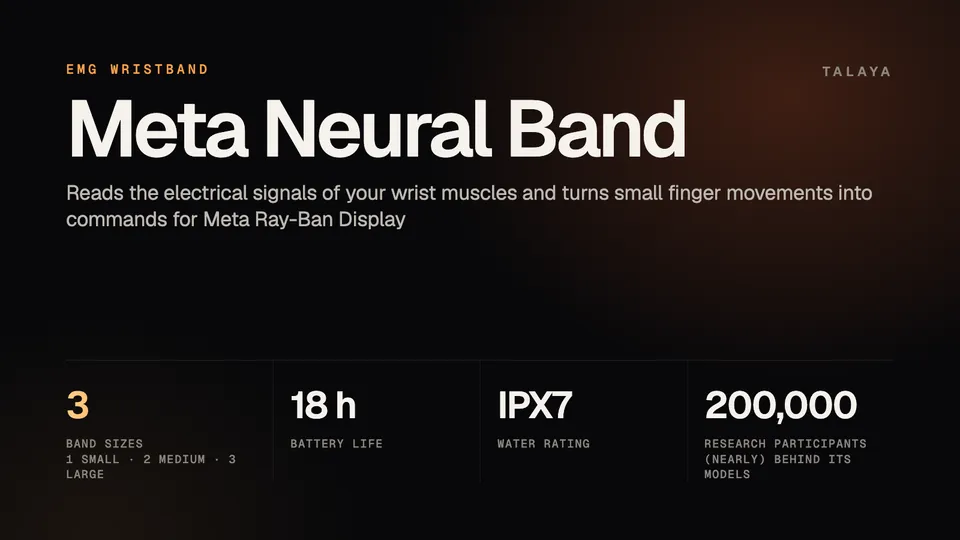
The Meta Neural Band reads the electrical signals your wrist muscles make when you move your fingers and turns them into commands for Meta Ray-Ban Display. It comes in three sizes, and the fit decides how well it works.
Part of our Meta Ray-Ban Display guide
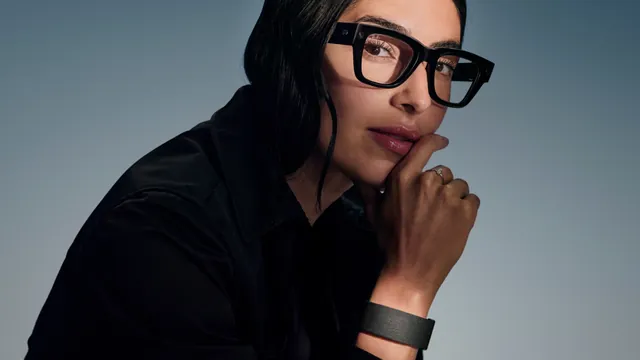
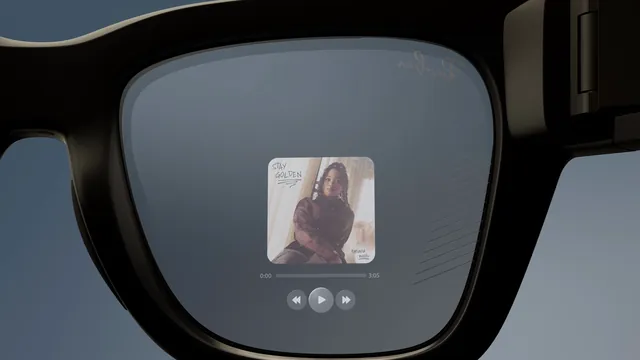
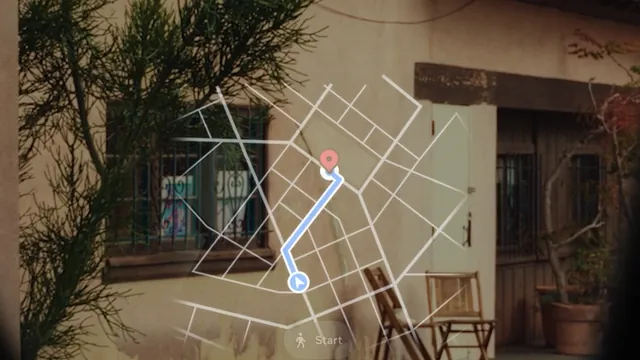
The Meta Neural Band is the wristband that comes in the box with every pair of Meta Ray-Ban Display glasses, which cost $799 in the US. It's the main way to control them: you scroll, select and even write messages with small finger movements, often with your hand resting at your side. Meta introduced it with the glasses on Sept. 17, 2025, and for now it works only with them.
This explainer is based on Meta's announcements, blog and help center and on Ray-Ban's Meta Ray-Ban Display FAQ.
How the Neural Band works
When you move your fingers, the muscles doing the work produce electrical signals. The Neural Band has sensors on the inside that pick those signals up at the wrist, a technique called surface electromyography, or sEMG. Software turns the patterns into commands such as a click or a scroll. Meta says the band can measure movement "even before it's visually perceptible."
The hard part is that everyone's muscles are different. Meta says it trained deep learning models on data from nearly 200,000 consenting research participants so the band works out of the box for nearly anyone. The raw EMG data stays on the band: only events like a click are sent to the glasses, according to Meta's launch post.
Meta also points to accessibility. Because the band reads muscle signals rather than large movements, Meta says it can give control to people who can't make large movements after a spinal cord injury or stroke, people with tremors and people with fewer than five fingers.
The hardware
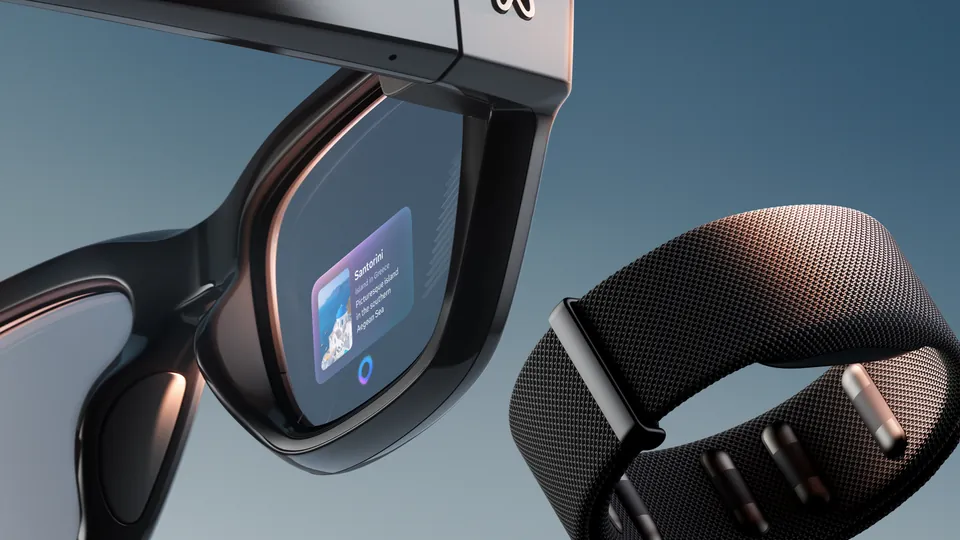
The band has a button, the sensors, a compute module, an LED and a line printed on it to help you put it on the right way, according to Ray-Ban's FAQ. Its electrodes are coated with diamond-like carbon and reinforced with Vectran, a woven material Meta says is as strong as steel when pulled but bends easily, the same material used on the Mars Rover's crash pads. The band gives haptic feedback, comes in Black or Sand to match the glasses and is rated IPX7.
Battery life is up to 18 hours, and the band charges separately from the glasses with its own charger, which attaches to the compute module on the underside. Ray-Ban's FAQ warns against plugging that charger's cable into the glasses' charging case, which won't charge the band. To turn the band on, hold the button for two seconds until the LED flashes white and the band vibrates; to turn it off, hold it for eight seconds.
Neural Band gestures
These are the default gestures Ray-Ban lists for Meta Ray-Ban Display:
| What you want to do | Gesture |
|---|---|
| Wake or sleep the display | Double-tap your middle finger on your thumb |
| Select | Tap your index finger on your thumb |
| Go back | Tap your middle finger on your thumb |
| Scroll | Swipe your thumb along your index finger, or hold your index finger to your thumb and move your arm |
| Turn the volume up or down | Hold your index finger to your thumb and turn your wrist clockwise or counterclockwise |
| Zoom in Capture, Gallery and Maps | The same hold and turn |
| Start or exit Meta AI | Double-tap your thumb on the side of your index finger |
| Open or close the app launcher | Hold your middle finger to your thumb |
Meta compares the volume gesture to turning a dial on a speaker. You don't need to hold your arm out: with the band fitted correctly, the gestures work with your hand by your side or in your lap.
You can change some of them. In the Meta AI app, tap Glasses in the top right, then Device settings, then Gestures. From there, Meta's help center says, you can reassign the thumb double-tap, invert the horizontal and vertical swipe directions on the band and reassign the tap-and-hold gesture on the glasses' touchpad.
Neural handwriting
The most unusual feature is handwriting. Wearing the band, you trace letters with your finger on any surface, such as a tabletop, and the band turns the movements into text; you can also pick from suggested replies. Meta started testing it with Early Access users in the US, in English only, on WhatsApp and Messenger on Jan. 6, 2026. On March 31, Meta said it was rolling out to everyone and coming to iMessage, and that it works across Instagram, WhatsApp, Messenger and native Android and iOS messaging.
In July 2026, Meta extended it to the assistant. Early Access users in the US and Canada can double-tap their thumb to call up Meta AI, choose "Write" on the AI home screen and write a question instead of saying it, according to Meta's July update.
Sizes and fit
The band comes in three sizes: 1 (small), 2 (medium) and 3 (large). Ray-Ban's FAQ notes that the band fits differently from other wristbands and watches, because the sensors have to sit in the right place to read your muscles, and Meta's buying FAQ calls the fitting "critical."
You can find your size in two ways. In a store, an associate measures you and shows you where and how tightly to wear the band. Online, Meta's sizing tool uses your phone's camera: you photograph your dominant hand palm down and then on its side, next to a credit-card-sized card for scale, and the tool recommends a size in less than a minute. Meta says it's normal for a wrist to fit more than one size. If you get different results, use the measurement you're most confident in, and if they keep differing, pick the smaller size.
Once you have it, Ray-Ban's FAQ gives five rules for wearing it:
- Wear it on the hand you write with.
- Turn it so the line on the band faces you.
- Place it just past your wrist bone.
- Close the clasp so the band is snug but comfortable.
- Keep the compute module on top of your wrist.
If gestures stop registering, check the position and the size first.
Pairing
You pair the band with your phone in the Meta AI app, after the glasses. The first time you turn it on, it goes into pairing mode by itself; otherwise, hold the button for three seconds until the LED flashes white, then follow the app's instructions. The band pairs with one Meta account at a time, so it needs a factory reset before someone else can use it.
Beyond the glasses
Meta has started showing what else the band could control, though none of it is a product. At CES in January 2026, it demonstrated a proof of concept with Garmin in which car passengers scroll and pinch to control Garmin's Unified Cabin infotainment system, and it announced research with the University of Utah on using the band to control smart-home devices and the university's TetraSki for people with limited hand mobility.
"Meta Neural Band and its EMG technology could be the best way to control any device," Meta's vice president of wearables, Alex Himel, said in Meta's CES post. For now, it controls one: Meta Ray-Ban Display. Our Meta Ray-Ban Display guide covers the glasses, and Meta Ray-Ban Display price and how to buy explains the sizing step in detail.
Frequently asked questions
Can I use the Meta Neural Band without Meta Ray-Ban Display?
No. The band needs Meta Ray-Ban Display glasses, a phone with the Meta AI app and a Meta account. Meta has shown prototypes of the band controlling a car's infotainment system and smart-home devices, but those aren't products.
Which wrist should I wear the Neural Band on?
The wrist of the hand you write with. Wear it just past the wrist bone, snug with the clasp closed, with the line on the band facing you and the compute module on top of your wrist.
What if I'm between Neural Band sizes?
Meta says it's normal for a wrist to fit more than one size. Use the measurement you're most confident in, and if you keep getting different results, pick the smaller size or get fitted at a store.
Is the Meta Neural Band waterproof?
Meta rates it IPX7 and says it's built to be durable and comfortable for all-day wear, with up to 18 hours of battery life.
Does the Neural Band send my muscle data to Meta?
Meta says all processing of the raw EMG data happens on the band, and only events such as a click are sent to the glasses. The photos used by the online sizing tool aren't stored, according to Meta.
Sources
- Meta: Meta Ray-Ban Display, AI glasses with an EMG wristband (Sept. 17, 2025)
- Meta blog: Meta Ray-Ban Display, breakthrough AI glasses available now
- Meta blog: Meta Ray-Ban Display, how to buy and why (Oct. 2025)
- Meta blog: CES 2026, teleprompter, neural handwriting and EMG collaborations (Jan. 6, 2026)
- Meta: Introducing our first AI glasses built for prescriptions (March 31, 2026)
- Meta blog: Meta Ray-Ban Display gets Threads and a new version of Meta AI (July 27, 2026)
- Meta Help Center: How to find your Meta Neural Band size using the online sizing tool
- Meta Help Center: How to configure gestures on Meta Ray-Ban Display and Meta Neural Band
- Meta Help Center: About battery life on Meta Ray-Ban Display and Meta Neural Band
- Ray-Ban: Meta Ray-Ban Display FAQ
- Ray-Ban: Meta Ray-Ban Display product details
Join the conversation
Questions, or something to add? Talk about it with other smart glasses owners in r/Talaya, our community on Reddit.