Smart Glasses · Guide
Meta Ray-Ban Display battery life: how long the glasses, case and Neural Band last
Meta rates Meta Ray-Ban Display at up to six hours of mixed use, with up to 24 more from its folding case, and the Neural Band at up to 18 hours. Here is what Meta hasn't published, and how the numbers compare with Ray-Ban Meta Gen 3 and Oakley Meta.
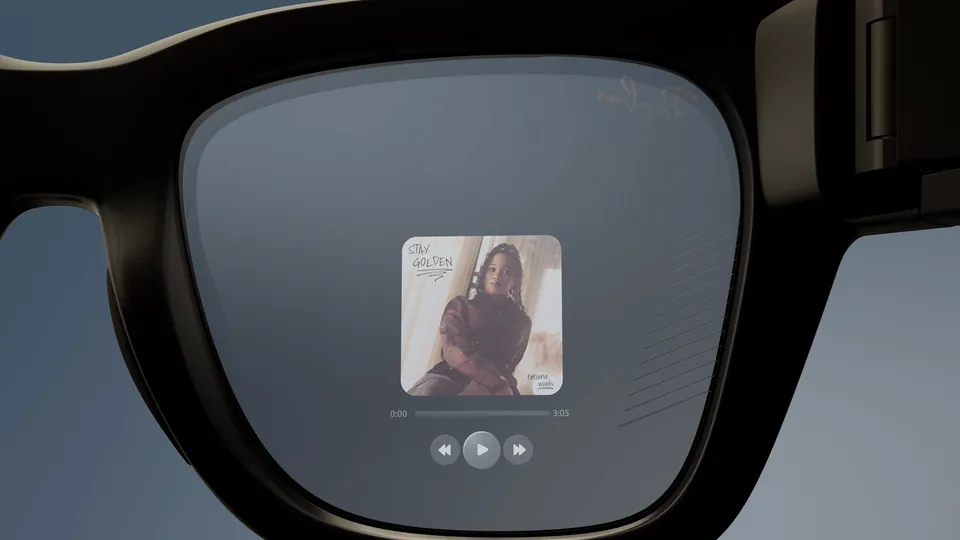
Part of our Meta Ray-Ban Display guide
Meta Ray-Ban Display lasts up to six hours of mixed use per charge, according to Meta's help center, and its folding charging case adds up to 24 more hours. The Meta Neural Band, the wristband that controls the glasses, is rated for up to 18 hours on a single charge and charges on its own. That puts the Display three hours behind Ray-Ban Meta Gen 3's nine. In the pages we could read, Meta gives no charging times, documents no battery saver for the Display and publishes no runtime for any single feature.
This guide is based on an archived copy of Meta's battery article, Meta's compare page, Oakley's product pages and our own guides to the Display and the Neural Band; we haven't tested the batteries.
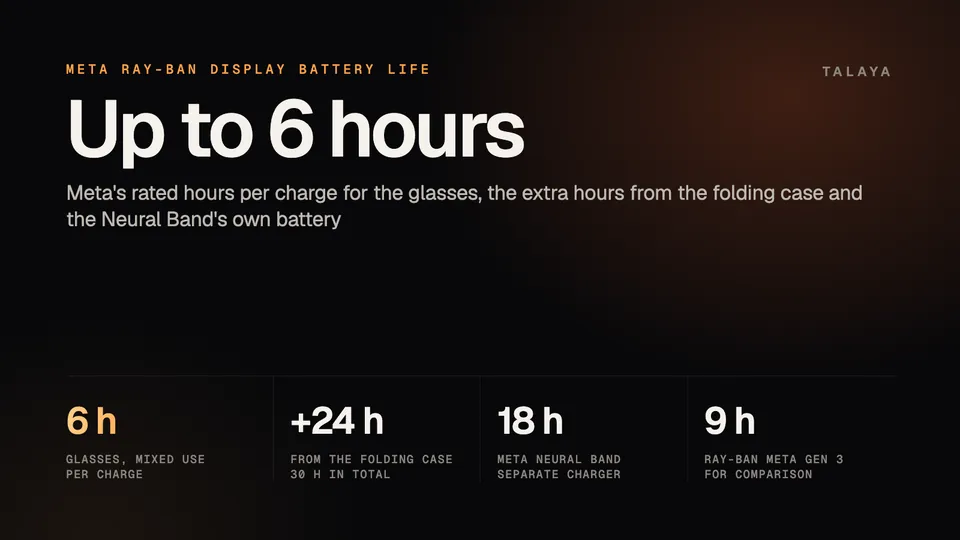
Meta Ray-Ban Display battery life at a glance
| Part | Rated battery life | Notes |
|---|---|---|
| Glasses | Up to 6 hours per charge | Meta calls it mixed use |
| Folding charging case | Up to 24 more hours | Up to 30 hours in all, by our sum |
| Meta Neural Band | Up to 18 hours on one charge | Charges on its own charger |
These are the figures in Meta's battery article, which we read in an archived copy from Dec. 17, 2025. The article calls the band's battery "all-day battery life." Our Meta Ray-Ban Display guide and Neural Band explainer cover the rest of the specifications.
What "mixed use" tells you
Meta's article says "mixed-use battery life" and doesn't say what the mix is. Other labels differ: Oakley's product pages call their headline hours "moderate usage," for example. None of them says how long the screen, camera or speakers are running, so treat the hours as ceilings.
Six hours is shorter than an eight-hour workday, so expect to dock the glasses in the case at some point. The case's 24 hours is what covers a long day or a trip.
What drains the battery
Meta doesn't say. Its battery article gives only the headline hours and no breakdown, and none of the Meta pages we read gives a runtime for a single feature, such as navigation, live captions, video calls or the camera viewfinder. What Meta does say about the screen, as our Display guide records, is that it sits in the right lens, reaches up to 5,000 nits with automatic brightness and disappears a few seconds after you stop using it. Meta describes it as a display for short interactions.
Charging the glasses, the case and the band
Meta's battery article links to separate how-to-charge guides for the glasses and for the band. We couldn't read the steps in either, and none of the other pages we read gives a charging time for the glasses, the case or the band. Meta does publish charging times for Ray-Ban Meta (about 20 minutes to 50%, as our Ray-Ban Meta battery guide records), but those figures aren't for the Display.
The glasses charge in the compact, folding case. The band has its own charger, which attaches to the compute module on its underside, and Ray-Ban's FAQ warns that plugging that charger's cable into the glasses' charging case won't charge the band. You carry two chargers. Our Neural Band explainer notes that you turn the band off by holding its button for eight seconds, and the pages we read don't say how much battery that saves.
Battery saver and display settings
Meta's battery saver mode pauses features to stretch a charge, and it's documented for Ray-Ban Meta glasses and Oakley Meta HSTN and Vanguard. The pages we read don't list it for the Display, and they describe no brightness or display timeout setting for it. What the Display does on its own is adjust brightness automatically and switch the screen off after a few seconds of inactivity.
How the Display compares with Gen 3 and Oakley Meta
| Glasses | On the glasses | Extra from the case | Total, by our sum |
|---|---|---|---|
| Meta Ray-Ban Display | Up to 6 hours | Up to 24 hours | 30 hours |
| Ray-Ban Meta Gen 3 | Up to 9 hours | Up to 50 hours | 59 hours |
| Oakley Meta HSTN | Up to 8 hours | Up to 48 hours | 56 hours |
| Oakley Meta Vanguard | Up to 9 hours | Up to 36 hours | 45 hours |
Meta's compare page lists Gen 3 at up to nine hours with an additional 50 hours from the case. Oakley's HSTN and Vanguard product pages list eight hours with 48 more, and nine hours with 36 more. The labels behind these figures vary, so the table isn't a controlled test.
The Display has the shortest rating in the table, and it is the only pair here with a screen. Ray-Ban Meta Audio, which has no camera, is rated at up to 12 hours with 48 more from the case on Meta's compare page. Our Oakley Meta battery guide covers the Oakley models in detail, and our Display vs Gen 3 comparison compares the two Ray-Ban models on everything else.
Frequently asked questions
How long does Meta Ray-Ban Display last on one charge?
Up to six hours of mixed use, according to Meta's help center, with up to 24 more hours from the folding charging case. Meta doesn't say what the mix includes.
How long does the Meta Neural Band battery last?
Up to 18 hours of use on a single charge, which Meta calls all-day battery life. The band has its own charger and charges separately from the glasses.
How long does Meta Ray-Ban Display take to charge?
Meta's battery article gives no charging time, and neither do the other pages we read. It links separate charging guides for the glasses and the band, but we couldn't read their steps.
Does Meta Ray-Ban Display have a battery saver mode?
Meta documents battery saver for Ray-Ban Meta glasses and Oakley Meta HSTN and Vanguard. The pages we read don't list it for the Display or describe a brightness or display timeout setting for it.
Can the glasses' charging case charge the Neural Band?
No. The band has its own charger, and Ray-Ban's FAQ says that plugging that charger's cable into the glasses' charging case won't charge the band.
Does Meta Ray-Ban Display last as long as Ray-Ban Meta Gen 3?
No. Meta rates Gen 3 at up to nine hours with up to 50 more from its case, against up to six hours and 24 more for the Display. Our comparison covers the other differences.
Sources
Join the conversation
Questions, or something to add? Talk about it with other smart glasses owners in r/Talaya, our community on Reddit.