Smart Glasses · Guide
Oakley Meta not charging or not turning on: fixes for HSTN and Vanguard
Oakley Meta HSTN and Vanguard charge only in their case, and Meta troubleshoots them as one group. Here are the fixes in order, what the case and glasses lights mean, how heat and cold matter and how to file an Oakley warranty claim.
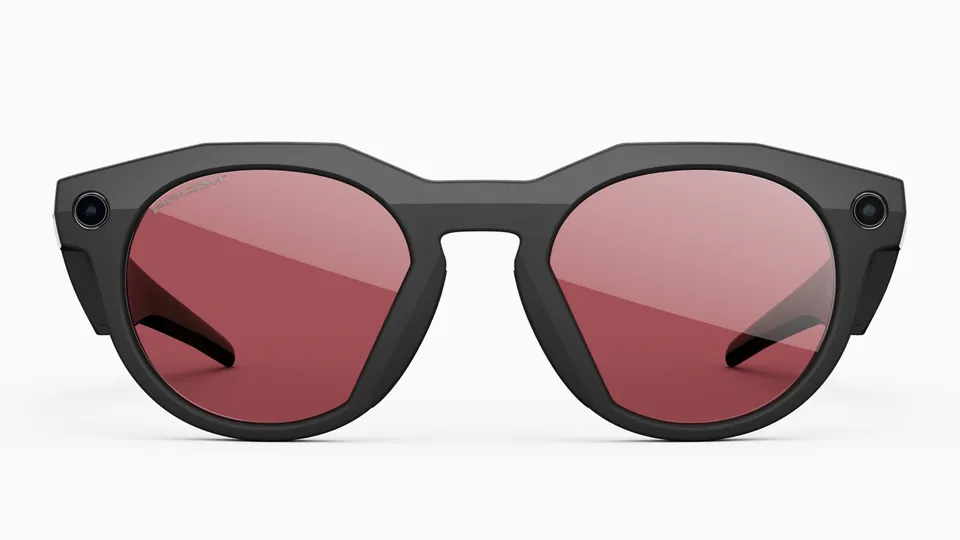
Part of our Oakley Meta guide
Oakley Meta HSTN and Vanguard charge only in their case, and Meta's charging help treats them as one group, so the same fixes apply to both: seat the glasses, clean the contacts, change the cable and adapter, cool down, then reset the case. If that fails, the repair goes through Oakley's warranty, not Meta's. The steps match Meta's guidance for Ray-Ban Meta, so our Ray-Ban Meta charging guide applies too.
This guide is based on Meta's help center, Oakley's FAQ and Oakley's safety and warranty guides.
How HSTN and Vanguard charge
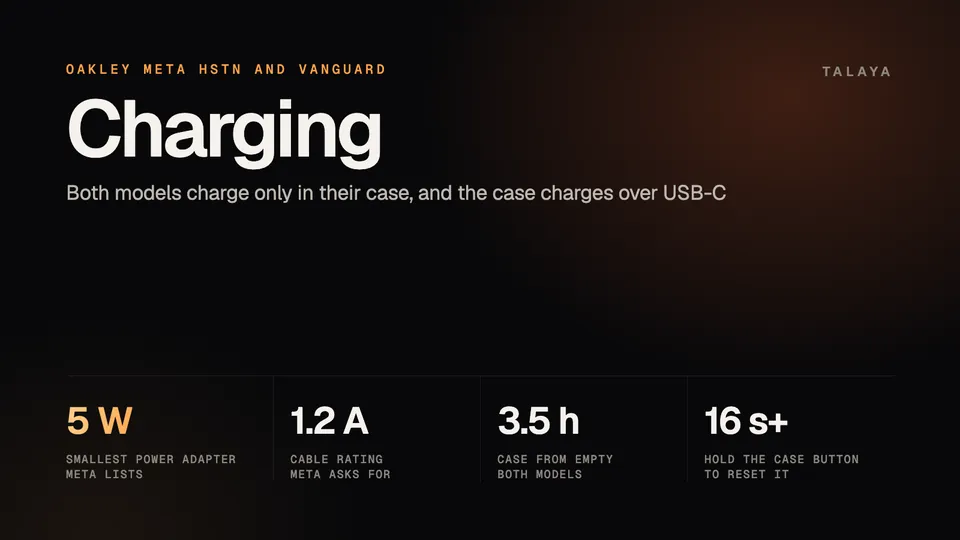
The glasses dock in the case with the nose bridge on the charging port, and Meta says that is the only way to charge them. The case charges over USB-C. On a new pair, remove the protective plastic tab from the case's metal contacts first. Neither model comes with a cable or wall adapter: "Wall adapter and cable not included," Oakley's Vanguard guide says.
| Oakley Meta HSTN | Oakley Meta Vanguard | |
|---|---|---|
| Quick charge in the case | 80% in 45 minutes | 50% in 20 minutes |
| Case from empty | 3.5 hours | 3.5 hours |
| Power control | Switch on the inside of the left arm | Button under the left arm |
Charge times are from Meta's battery article, and our Oakley Meta battery guide has the rest. The power controls are from Oakley's FAQ. For the case, Meta asks for a USB-C to USB-C or USB-C to USB-A cable rated for at least 1.2 amps and a USB-C or USB-A adapter of 5 watts or more. USB Power Delivery isn't required, and lower-rated cables and adapters likely still work, only slower.
What the lights mean
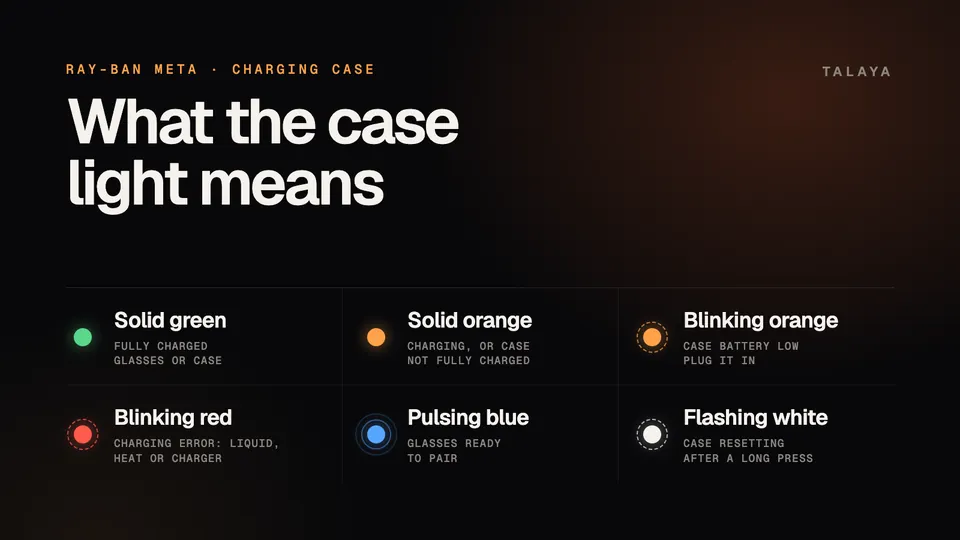
Press the button on the back of the case for a reading: with the glasses docked it shows their charge, and with the case empty it shows the case's. Meta's Oakley Meta section and Oakley's FAQ list the same colors.
| Case light | What it means | What to do |
|---|---|---|
| Solid green | Glasses fully charged, or an empty case fully charged | Nothing |
| Solid orange | Glasses charging, or case not fully charged | Wait |
| Blinking orange, case empty | Case battery low | Plug the case in |
| Blinking red | Charging error: liquid, heat or the charger | Clean and dry the contacts, cool down, change cable and adapter |
| Orange or green pulsing nonstop on a plugged-in case | The adapter may be incompatible, and the app shows no charging icon | Try another cable, then another adapter |
| Pulsing blue | Ready to pair | Add the glasses in the Meta AI app |
| White flashing | The case is resetting | Wait for it to stop |
On the glasses, four orange blinks of the notification light mean low battery. Four red blinks mean a shutdown is coming because the battery ran out or they got too hot or too cold, Oakley's FAQ says. Our Ray-Ban Meta LED guide covers the same patterns.
Fixes, quickest first
- Seat the glasses. Dock them with the nose bridge on the charging port and close the case. A charging pair makes the case light blink, and the Meta AI app shows a charging icon.
- Clean the contacts. Dried sweat, dirt and liquid can stop the glasses charging, Meta says, so a pair that won't power on may simply not be charging. Use a dampened cloth with mild soap, no alcohol or solvents and no running water, and dry the glasses before docking them. If they got wet, Oakley's Vanguard guide says to dry them with a soft, lint-free cloth.
- Cool down. A red light can mean the glasses or case are too hot to charge, so move out of the sun to somewhere cooler.
- Change the cable, then the adapter, or try another outlet or a USB-C charging block.
- Give the glasses an hour on the charger with clean contacts. A charging pair shows orange on the case light.
- Check the power control. On HSTN, push the switch toward the front of the frame, because a red dot next to it means the glasses are off. On Vanguard, hold the power button for one second.
- Restart. On HSTN, slide the switch off and on. To force restart, switch off, hold the capture button, switch on while holding it and let go when the status light turns red. On Vanguard, hold the power button for three seconds to turn off and one second to turn on. To force restart, hold it for at least 10 seconds, and the light turns red. Meta's restart article says neither erases photos or unpairs the glasses.
- Reset the case. Take the glasses out and hold the button on the back of the case for more than 16 seconds, Meta says. Oakley says at least 16 seconds, "or until the LED begins flashing white." Release, wait for the flashing to stop, then redock the glasses and plug the case in. A factory reset of the glasses is the last resort, and our guide has the steps.
If the case doesn't respond at all, Oakley gives two causes. A dead battery shows orange pulsing once you plug it in, and an interrupted case update recovers when you dock the glasses again with the switch on.
Heat and cold
Neither Oakley nor Meta gives an operating temperature range. The case won't charge when it or the glasses are too hot. Meta says charging may take longer in the cold and pauses below 32°F (0°C), and Oakley's FAQ says video recording needs a minimum charge that rises as the battery gets colder. Oakley's safety guides for HSTN and Vanguard give a storage range of -10°C to 35°C (14°F to 95°F) and say not to leave the glasses in a car in direct sunlight. If a pair overheats in normal use, the guides say to stop using it and contact support. Our Ray-Ban Meta overheating guide goes through the same rules.
When to file a warranty claim
Oakley Meta glasses are made by EssilorLuxottica, and Meta says the manufacturer's warranty applies even if you bought them from the Meta Store. For HSTN and Vanguard, that means Oakley: its Vanguard guide says Luxottica Group S.p.A. provides the limited warranty on behalf of Oakley Inc. Claims go through the Oakley aftersales portal, which Meta's warranty article links: pick the closest match to your problem and describe it. You need the serial number, printed inside the left temple and listed in the Meta AI app, plus proof of purchase such as the order email. If the portal doesn't support your country, Meta says to use your local Oakley website.
The warranty lasts one or two years from purchase depending on the country, according to Oakley's FAQ, and Oakley's guide limits it to glasses bought from Oakley or an authorized dealer. Meta says it typically covers hardware malfunctions, battery issues and charging problems, and not drops, water damage or scratches. Troubleshoot first, as Meta asks: update the glasses and app, restart and reset. Oakley says to open a claim if a pair still won't turn on after several hours of charging. Our warranty guide covers the Ray-Ban Meta version.
Frequently asked questions
Can I charge Oakley Meta glasses without the case?
No. Meta and Oakley both say docking the glasses in the charging case is the only way to charge them. The case itself charges over USB-C.
Do Oakley Meta glasses come with a charger?
No. Neither model ships with a cable or wall adapter, and Oakley's Vanguard guide says "Wall adapter and cable not included." Meta asks for a USB-C cable rated for at least 1.2 amps and a power adapter of 5 watts or more.
Can I charge Oakley Meta glasses in a Ray-Ban Meta case?
Meta says not to store glasses from another line in a charging case because it can damage both the glasses and the case. Its Oakley Meta instructions warn against non-Oakley Meta glasses in the case, and its Ray-Ban Meta instructions warn against non-Ray-Ban Meta glasses.
Can I replace the battery in Oakley Meta glasses?
No. Oakley's FAQ says the embedded battery in the glasses and the charging case can't be replaced, so a battery that won't hold a charge is a support or warranty matter.
How do I check the battery level of my Oakley Meta glasses and case?
Open the Meta AI app, which shows the glasses' charge once they're connected and the case's charge while they're docked, or press the button on the back of the case to read its light. Oakley's FAQ also lists "Hey Meta, battery status" and "Hey Meta, how much battery is left?"
Sources
- Meta Help Center: How to charge AI glasses (archived copy of June 18, 2026)
- Meta Help Center: Battery life on AI glasses (archived copy of June 8, 2026)
- Meta Help Center: How to restart AI glasses (archived copy of Nov. 9, 2025)
- Meta Help Center: How to factory reset AI glasses and charging case (archived copy of March 27, 2026)
- Meta Help Center: How to file a warranty claim for AI glasses (archived copy of June 6, 2026)
- Oakley: Oakley Meta FAQ
- Oakley: Oakley Meta Vanguard safety and warranty guide (Aug. 12, 2025 edition)
- Oakley: Oakley Meta AI glasses safety and warranty guide for HSTN (May 29, 2025 edition)
Join the conversation
Questions, or something to add? Talk about it with other smart glasses owners in r/Talaya, our community on Reddit.