Smart Glasses · Guide
Ray-Ban Meta glasses not turning on: what to do, step by step
When Ray-Ban Meta glasses won't turn on, Meta's first suspect is charging. Here's how to check the case, get a real charge into the glasses and force a restart, in the order Meta suggests.
Part of our Ray-Ban Meta guide
When Ray-Ban Meta glasses won't turn on, start with the battery. Meta says glasses that won't power on may simply not be charging while docked, because dried sweat, dirt or liquid can block the connection between the nose bridge and the case. Check that the case has power, clean the contacts, leave the glasses docked for at least an hour and try the switch again. If that doesn't work, force a restart.
This guide is based on Meta's help center and the support FAQs from Ray-Ban and Oakley. Meta groups Oakley Meta HSTN glasses with Ray-Ban Meta in its power instructions, so the steps are the same for them.
What turning on should look like
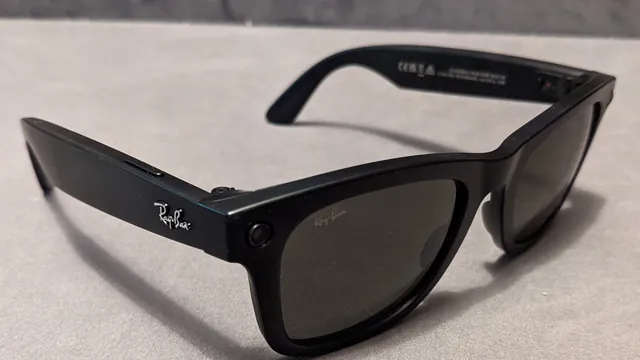
On Ray-Ban Meta and Oakley Meta HSTN glasses, the power switch is on the inner side of the left arm, near the hinge. Meta says to slide it toward the lenses: the notification LED inside the frame blinks while the glasses start up and turns solid green when they're ready. Ray-Ban's and Oakley's FAQs say the white blinking lasts about 12 seconds, and that the capture LED on the front also lights up as the glasses first turn on. If you see none of that, work through the steps below.
1. Make sure the case has power
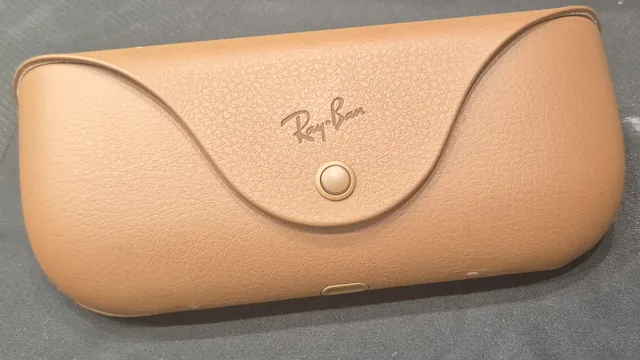
The glasses can only charge inside the case, and the case runs on its own battery. Take the glasses out and look at the case LED, which then shows the case's charge level, according to Meta. Blinking orange means the case battery is low. If the light doesn't come on at all, plug the case in with a USB-C cable and a power adapter of 5 watts or more, and see our charging guide if it won't take a charge.
2. Dock the glasses and give them an hour
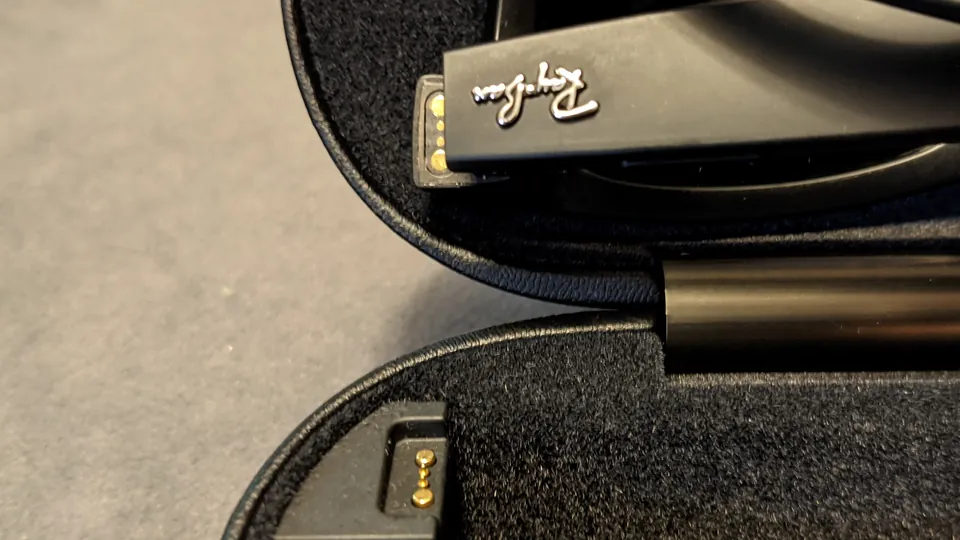
Put the glasses in the case and press down gently on top so the bottom of the nose bridge touches the charging port. Meta says the case LED blinks after you dock the glasses and close the lid, which tells you they're charging. On a brand-new pair, remove the protective plastic tab from the metal contacts in the case first.
Leave them there for at least an hour. That's the minimum, or a green light on the case, that Meta's pairing checklist asks for before you set the glasses up.
3. Clean the contacts
If the case LED doesn't blink when you dock the glasses, clean both sides of the connection. Meta recommends a dampened cloth and mild soap, no alcohol or solvents and no running water. Gently clean the charging contacts on the nose bridge and inside the case, and dry everything before you dock the glasses again.
4. Look for a red light
A blinking red light on the case means a charging error. Meta lists three causes: liquid on the contacts, a case or glasses too hot to charge safely, and a cable or power adapter the case doesn't accept. Wipe the contacts dry, move everything somewhere cooler, or try a different cable and adapter.
The glasses can also shut themselves down. According to Ray-Ban's and Oakley's FAQs, the notification LED blinks red four times just before the glasses shut down because the battery ran out or because they got too hot or too cold. If that's what you saw before they went dark, charge them, or let them get back to a normal temperature, before you try again.
5. Slide the switch off and on again
Once the glasses have charged, slide the power switch back to the off position, wait a few seconds and slide it forward again. This is Meta's basic restart, and it doesn't erase photos or unpair the glasses.
6. Force restart
If the glasses still won't wake up, Meta's next step is a force restart, which also keeps your photos and your pairing:
- Slide the power switch back to the off position.
- Press and hold the capture button.
- While still holding it, slide the power switch forward.
- Let go of the capture button as soon as the status LED turns red.
It can take a few minutes for the glasses to reconnect to the Meta AI app afterward.
Why a factory reset won't help yet
A factory reset is Meta's last resort for many problems, but it can't revive glasses that won't power on. Meta's reset steps start with glasses that are out of the case, charged and switched on, and the glasses confirm each step with their LED.
Other models
Oakley Meta Vanguard glasses use a button instead of a switch. Oakley's FAQ says it's on the underside of the left arm: press and hold it for one second to turn the glasses on and three seconds to turn them off. Meta's power article also has separate instructions for its Meta Glasses line and for Ray-Ban Meta Audio. For Meta Ray-Ban Display, Meta has a dedicated guide to force restarting the glasses and the Meta Neural Band.
When to contact Meta support
If the glasses stay dark after a full hour in a charged case, clean contacts and a force restart, contact Meta with the Get support button at the bottom of any article in its AI glasses help center. Ray-Ban's FAQ and Oakley's say a warranty claim needs the serial number, printed on the inside of the left temple, and proof of purchase. Meta's warranty article explains whether Ray-Ban, Oakley or Meta handles the claim.
Frequently asked questions
Why won't my Ray-Ban Meta glasses turn on after charging?
Meta says they may not have been charging while docked. Clean the contacts on the nose bridge and inside the case, press the glasses down so the nose bridge touches the charging port, and check that the case itself has charge and isn't blinking red.
Where is the power switch on Ray-Ban Meta glasses?
On the inner side of the left arm, near the hinge. Slide it toward the lenses to turn the glasses on and toward the back to turn them off, Meta says.
Can heat or cold stop Ray-Ban Meta glasses from working?
Yes. Ray-Ban's and Oakley's FAQs say the glasses shut themselves down when the battery runs out or when they get too hot or too cold, and the light inside the frame blinks red four times first. Meta adds that a case or glasses that are too hot won't charge until they cool down.
Will a factory reset fix glasses that won't turn on?
Not while they're dead. Meta's factory reset steps require the glasses to be charged and powered on, so charging them and trying a force restart come first.
Sources
- Meta Help Center: How to fix charging problems with AI glasses
- Meta Help Center: How to turn AI glasses on or off
- Meta Help Center: How to charge AI glasses
- Meta Help Center: How to fix pairing issues with AI glasses
- Meta Help Center: Care and cleaning tips for AI glasses
- Meta Help Center: How to restart AI glasses
- Meta Help Center: How to factory reset AI glasses and charging case
- Meta Help Center: How to force restart Meta Ray-Ban Display and Meta Neural Band
- Meta Help Center: How to file a warranty claim for AI glasses
- Meta Help Center: AI glasses support
- Oakley: Oakley Meta FAQ
- Ray-Ban: Ray-Ban Meta FAQ
Join the conversation
Questions, or something to add? Talk about it with other smart glasses owners in r/Talaya, our community on Reddit.