Wearables · Guide
Apple Watch hypertension notifications explained: how they work and how accurate they are
Apple Watch can flag possible hypertension from its heart sensor after 30 days of data, but it isn't a blood pressure reading. How the feature works, what the FDA record and Apple's study show, which watches get it and what to do after a notification.
Part of our Apple Watch guide
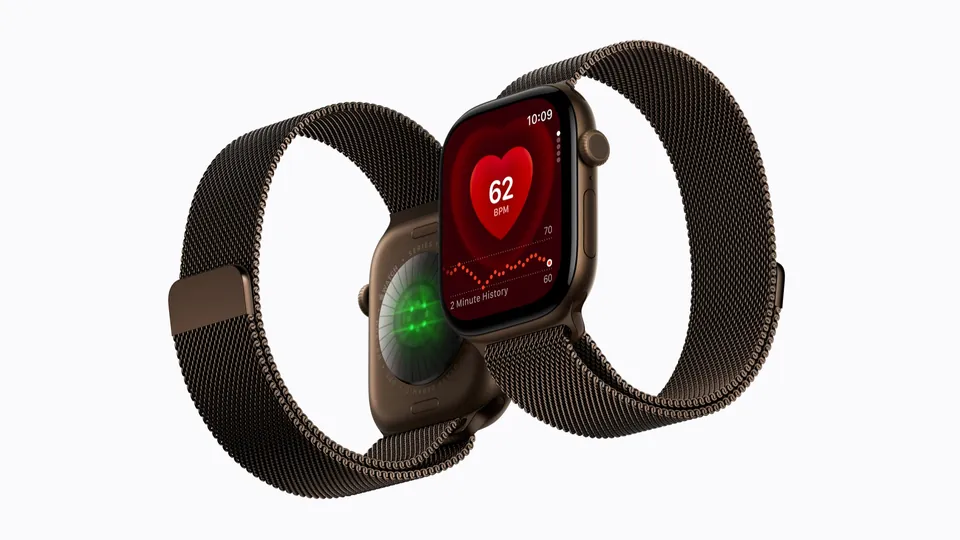
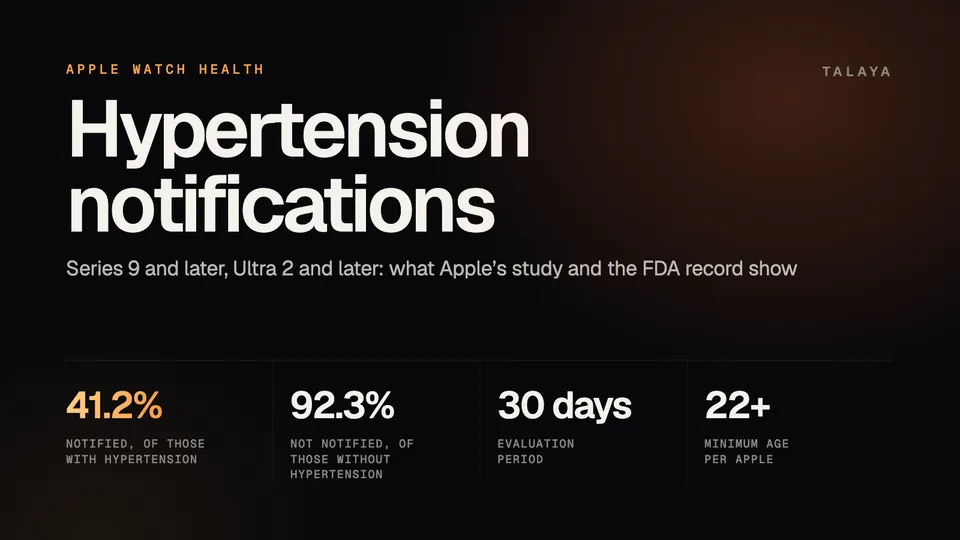
Apple Watch doesn't measure blood pressure. Its hypertension notifications feature analyzes data from the watch's optical heart sensor over 30-day periods and notifies you if it sees a pattern of possible hypertension, without showing a blood pressure number. The FDA cleared it on Sept. 11, 2025, and Apple says it works on Apple Watch Series 9 or later and Ultra 2 or later, but not on the SE. In Apple's own study, it notified 41.2% of people who had hypertension and didn't notify 92.3% of people who didn't.
This guide is based on Apple's support pages and validation paper and the FDA's 510(k) record; we haven't tested the feature.
How hypertension notifications work
Apple's support page says the watch analyzes data collected by the optical heart sensor and notifies you if it detects a pattern of hypertension. It does this over 30-day evaluation periods, which start the day you set the feature up.
Apple's validation paper, dated Aug. 18, 2025, adds the mechanics. The feature works passively in the background during waking hours and needs no calibration. It takes 60-second segments of the heart sensor's signal, collected about every two hours across each 30-day window, and uses the accelerometer to keep only samples taken while you're sitting still. Samples from sleep are excluded. The scores are averaged over the 30 days and compared with a threshold to decide whether to send a notification.
Apple says it set that threshold to prioritize high specificity, which means fewer false positives, while still notifying a significant share of people with hypertension. It also says the algorithm was locked after development, with no ongoing changes learned from new data, and was built with data from more than 100,000 study participants.
If you use a secondary iPhone that isn't paired with your watch, Apple says notifications are delayed until your primary phone is unlocked and finishes the analysis.
Which watches and phones it works with
Apple's support page lists these requirements:
- An Apple Watch Series 9 or later or an Apple Watch Ultra 2 or later, with the latest watchOS. The Apple Watch SE doesn't have the feature.
- An iPhone 11 or later with the latest iOS.
- Wrist Detection turned on.
- The feature available in your country or region.
The support page adds a caution for the newest models: "Hypertension Notifications might not be available on Apple Watch Series 12 or Apple Watch Ultra 4 in your region, as additional regulatory clearances for the feature for these models are in process." It points to Apple's availability list for your region. Our Apple Watch guide lists hypertension notifications among the Series 12 and Ultra 4 features, so check Apple's list before you buy either one for this feature.
To turn it on, open the Health app on your iPhone, tap the Profile button, tap Health Checklist and then Hypertension Notifications. You confirm your age and whether you've ever been diagnosed with hypertension, then follow the prompts.
Who it's for, and who it isn't
Apple says you must be 22 or older, not pregnant and not diagnosed with hypertension. If you have an active pregnancy logged in the Health app, you can't turn the feature on. Apple's validation study also recruited adults without a prior hypertension diagnosis.
Apple lists several limits on its support page:
- The feature "is not intended to diagnose, treat, or aid in the management of hypertension or other conditions such as blood clots, stroke, atrial fibrillation, congestive heart failure, or high cholesterol."
- "Not all people with hypertension receive a notification."
- Apple Watch can't detect heart attacks. For chest pain, pressure or tightness, or what you think is a heart attack, Apple says to call emergency services.
What the FDA record shows
The FDA's 510(k) database lists the feature as K250507, "Hypertension Notification Feature (HTNF)," from Apple, under the classification "Hypertension Machine Learning-Based Notification Software." The FDA received the submission on Feb. 21, 2025, and decided on Sept. 11, 2025: "Substantially Equivalent," the decision that clears a 510(k) device. The record also notes that a predetermined change control plan was authorized. The pages we read don't say what changes that plan covers.
The clearance covers the US. Apple's paper says the study was meant "to support regulatory submissions around the world."
Apple's validation numbers
Apple's main clinical study was decentralized and enrolled 2,229 adults without a prior hypertension diagnosis. Of those, 1,863 had enough data for the main analysis: 585 had hypertension and 1,278 didn't. Apple measured two things. Sensitivity is the share of people with hypertension who got a notification. Specificity is the share of people without hypertension who didn't.
| Measure | Result | People |
|---|---|---|
| Overall sensitivity | 41.2% (95% confidence interval 37.2% to 45.3%) | 241 of 585 |
| Sensitivity, Stage 1 hypertension | 29.6% | 90 of 304 |
| Sensitivity, Stage 2 hypertension | 53.7% | 151 of 281 |
| Overall specificity | 92.3% (95% confidence interval 90.6% to 93.7%) | 1,179 of 1,278 |
| Specificity, normal blood pressure | 95.3% | 924 of 970 |
| Specificity, elevated blood pressure | 82.8% | 255 of 308 |
In plain terms, roughly four in 10 people with hypertension were notified, and about eight in 100 people without it were notified anyway. Apple's paper says a significant portion of the people alerted without hypertension had elevated blood pressure, and that the notification can still prompt a conversation with a doctor for them. It also says sensitivity was lower and specificity higher in people under 60 and in people with a body mass index under 30, and that differences by sex, race and skin tone weren't clinically meaningful after adjustment.
These are Apple's figures from its own study, and the pages we read include no independent test. Apple's paper says the feature isn't a screening or diagnostic test: "Unlike a screening or diagnostic test, this feature works opportunistically and passively in the background at the scale of a general-use consumer wearable." Apple says onboarding reminds people that not everyone with hypertension will be notified, to prevent over-reliance.
What to do after a notification
Apple says a notification means the watch found patterns related to hypertension in the last 30 days of your heart data. It isn't a diagnosis. Apple's steps:
- Set up the Blood Pressure Log in the Health app when prompted.
- Measure and track your blood pressure for seven days with a third-party blood pressure cuff. Apple's paper says the log classifies readings using American Heart Association and European Society of Cardiology guidelines.
- Discuss the notification and your measurements with your healthcare professional at your next appointment. Apple's paper says the log can give a clinician objective evidence and can reassure people who get a notification but don't have hypertension.
- Call emergency services if you have chest pain, pressure or tightness.
Apple says not all people with hypertension receive a notification, so going without one doesn't rule it out.
Where it's available
Apple's watchOS 27 availability page lists the United States, Canada and the United Kingdom among the many countries and regions where Hypertension Notifications is offered. The list is long, so look up yours. As noted above, Series 12 and Ultra 4 may lag in some regions.
Blood pressure on other wearables
Of the blood pressure features here, Apple's is the only one with an FDA clearance in the records we read. The others are described by their makers as wellness features.
| Device | Feature | What the maker says |
|---|---|---|
| Galaxy Watch9 | Morning blood pressure estimate | Calibrate every 28 days with a third-party cuff; not intended to diagnose. Samsung's pages we read call only sleep apnea detection FDA-cleared. See our Galaxy Watch guide. |
| Pixel Watch 5 | Monthly blood pressure trend summary | Google calls it a general wellness feature, not a prescreener for hypertension, with no real-time clinical readings. Its store listed blood pressure trends as coming in September 2026, and we couldn't confirm they have reached US watches. See our Pixel Watch guide. |
| Whoop MG | Blood Pressure Insights, with a Life membership | Whoop says it isn't a medical device. The FDA's June 17, 2026 closeout letter says it doesn't intend to enforce device requirements for the product as modified, an enforcement decision and not a clearance. See our Whoop guide. |
Smart rings have similar trend features. Oura's Health Radar includes Blood Pressure Signals, and the RingConn Gen 3 reports vascular health trends rather than single readings. Our best smart rings guide compares them.
Frequently asked questions
Does Apple Watch measure blood pressure?
No. Apple's validation paper says the feature "does not measure blood pressure directly, and does not surface a blood pressure reading to users." For a reading, use a blood pressure cuff.
Which Apple Watch models have hypertension notifications?
Apple's support page lists Apple Watch Series 9 or later and Ultra 2 or later, with the latest watchOS, paired with an iPhone 11 or later. It isn't available on Apple Watch SE, and it might not be available on Series 12 or Ultra 4 in some regions while regulatory clearances are in process.
How accurate are Apple Watch hypertension notifications?
In Apple's own study, the feature notified 41.2% of people with hypertension and didn't notify 92.3% of people without it. Apple says not everyone with hypertension receives a notification, and the figures come from Apple's validation paper, not an independent test.
How long does it take to get a hypertension notification?
Apple evaluates your data in 30-day periods that start the day you set the feature up. A notification means the watch found patterns related to hypertension in the last 30 days of your heart data.
Can I use hypertension notifications if I already have high blood pressure?
Not if you've been diagnosed. Apple says you must be 22 or older, not pregnant and not diagnosed with hypertension, and its onboarding asks you to confirm your age and diagnosis history.
Do the Galaxy Watch and Pixel Watch have the same feature?
No. The Galaxy Watch9 gives a morning blood pressure estimate that needs a cuff calibration every 28 days, and the Pixel Watch 5 offers monthly trend summaries. Both companies describe them as wellness features that don't diagnose, and the pages we read don't call either FDA-cleared.
Sources
- Apple Support: Hypertension notifications on your Apple Watch (Sept. 14, 2026)
- Apple: Hypertension Notifications Validation Paper (Sept. 2025)
- FDA: 510(k) Premarket Notification K250507, Hypertension Notification Feature (HTNF)
- Apple: watchOS 27 feature availability, Health: Hypertension Notifications
- Samsung Newsroom U.S.: Galaxy Watch Ultra2 and Galaxy Watch9 (July 22, 2026)
- Google: Pixel Watch 5, proactive assistance and advanced health tracking (Aug. 12, 2026)
- FDA: WHOOP, Inc. closeout letter (June 17, 2026)
- Whoop: Membership options
Join the conversation
Questions, or something to add? Talk about it with other smart glasses owners in r/Talaya, our community on Reddit.