Wearables · Guide
AirPods Pro 3 health features: heart rate, Hearing Test, Hearing Aid and Hearing Protection
AirPods Pro 3 add heart rate sensing for workouts to Apple's Hearing Test, Hearing Aid and Hearing Protection. What each feature does, which iOS version it needs and where it works.

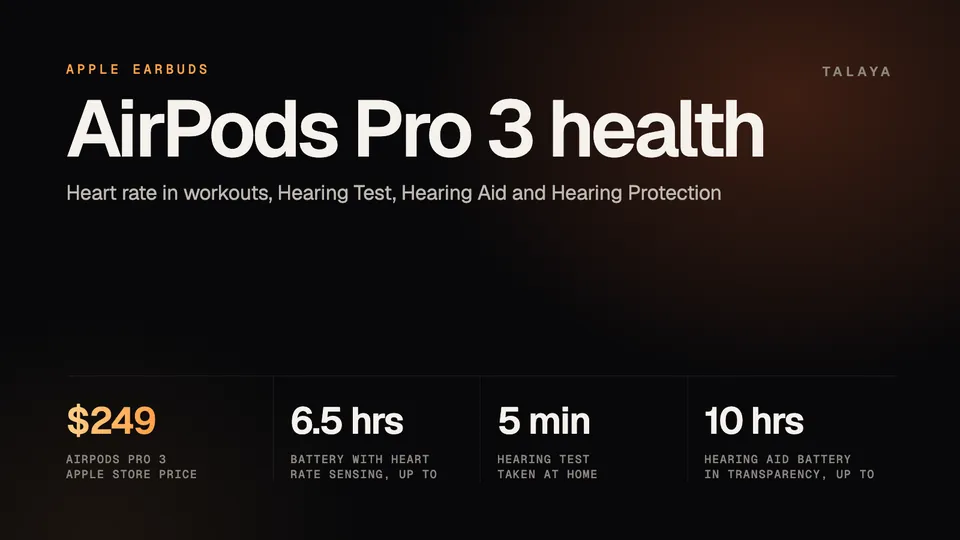
Apple lists heart rate sensing only on AirPods Pro 3, and its three hearing features (a Hearing Test, a Hearing Aid and Hearing Protection) only on the Pro 3 and the older AirPods Pro 2. As of Oct. 25, 2026, Apple sells the Pro 3 for $249. The heart rate sensor works during workouts on an iPhone with iOS 26 or later, and the Hearing Aid feature has FDA authorization for adults with perceived mild to moderate hearing loss.
This guide is based on Apple's product, support and availability pages and the FDA's announcement; we haven't tested the earbuds.
What each feature needs
Apple's AirPods page lists three models: AirPods 5, AirPods Pro 3 and AirPods Max 2. Apple's pages mention no AirPods Pro newer than the Pro 3, which its tech specs date to 2025. The AirPods 5, which Apple announced on Sept. 9, 2026 at $129 in the US, don't list any of the features below.
| Feature | Earbuds | Software minimum, per Apple | In the US |
|---|---|---|---|
| Heart rate sensing during workouts | AirPods Pro 3 | iPhone with iOS 26 or later | No regional limit on the pages we read |
| Hearing Test | AirPods Pro 2 and 3 | iPhone with iOS 18 or later, or iPad with iPadOS 18 or later | On Apple's list |
| Hearing Aid | AirPods Pro 2 and 3 | The same, or a Mac with macOS Sequoia or later | On Apple's list |
| Hearing Protection | AirPods Pro 2 and 3 | iPhone, iPad or Mac with iOS 18, iPadOS 18 or macOS Sequoia or later | On Apple's lists for both models |
All of them need the latest AirPods firmware, according to Apple's specifications, and the pages we read list only Apple devices. For the Pro 3 itself, the spec sheet's system requirement is an iPhone "with the latest version of iOS," which has been iOS 27 since Sept. 14. The pages give no minimum iPhone model beyond the iOS version. The three hearing features are tied to country lists on Apple's availability page, so check yours before you buy.
Heart rate sensing during workouts
AirPods Pro 3 have in-ear heart rate sensors, and Apple says their LEDs pulse invisible light 256 times per second. Combined with accelerometer data, Apple says, they track heart rate and calories burned for up to 50 workout types in the Fitness app.
You can see the data in four places:
- The Fitness app on your iPhone during a workout, including Apple Fitness+ sessions on iPhone, iPad or Apple TV.
- Supported third-party workout apps, which ask permission to read heart rate the first time.
- The Health app, under Heart and then Heart Rate.
- Compatible gym equipment such as treadmills and indoor bikes, through your iPhone.
The sensor measures continuously during a workout and stops when you end it. The feature is on by default. To turn it off, open Settings, tap the name of your AirPods and switch off Heart Rate (tap Privacy first if you don't see it). If you wear an Apple Watch too, Apple says the highest-confidence source is used at each moment. Apple Watch owners who work out with only AirPods and an iPhone need to connect the watch to the iPhone by midnight the next day to get credit toward their Activity rings.
Apple lists up to 6.5 hours of listening with heart rate sensing on, against up to eight hours with Active Noise Cancellation. The pages we read call the data "incredibly accurate" but publish no accuracy figures for the AirPods sensor. Apple's spec sheet says the monitor "is intended for use during workouts," so it doesn't cover all-day tracking. For all-day heart rate and health notifications, see our Apple Watch guide.
The Hearing Test
Apple calls the Hearing Test "scientifically validated." You take it at home, in a quiet place, from the AirPods settings or the Health app. The AirPods first check their fit and the background noise. Then the test plays a series of tones and you tap the screen when you hear one, a method Apple calls pure-tone audiometry. Apple says it takes about five minutes, and that the Pro 3's better fit and increased noise cancellation let it work "in a broader range of everyday background conditions."
Results show up in the Health app, where you can retake the test, track changes and download them. With little to no loss, Apple offers Media Assist settings that adjust music, video and calls to your results. If the test finds perceived mild to moderate loss, the iPhone prompts you to set up the Hearing Aid feature. The test is meant for people 18 and older.
Apple describes the Hearing Test and Hearing Aid as regulated health features that it offers once a region's authorization is in place. The pages we read name FDA authorization only for the Hearing Aid.
The Hearing Aid: FDA authorization and who it's for
The FDA authorized Apple's Hearing Aid Feature on Sept. 12, 2024, and called it the first over-the-counter hearing aid software device. In the FDA's words, it is "intended to amplify sounds for individuals 18 years or older with perceived mild to moderate hearing impairment." The agency reviewed it through its De Novo pathway, which it uses for novel low- to moderate-risk devices with no prior legally marketed device. In a clinical study of 118 people with perceived mild to moderate loss at several US sites, people who set it up themselves reported benefit similar to people who were fitted by a professional, and the FDA said no adverse events related to the device were observed.
The FDA says its over-the-counter rule lets adults with perceived mild to moderate loss buy hearing aids without a medical exam, a prescription or an audiologist. Apple's setup builds your profile from either a Hearing Test taken with the AirPods or an audiogram from a hearing health professional. To start it, open Settings, tap your AirPods, then Hearing Health and Hearing Assistance.
What it does day to day, according to Apple's support page:
- It amplifies sound only in Transparency mode. Media Assist applies your profile to music, video and calls in every noise control mode.
- You can adjust amplification, balance, tone, ambient noise reduction and Conversation Boost on an iPhone, iPad or Mac, and change the amplification level from Control Center on iPhone, iPad, Mac and Apple Watch.
- The settings are stored on the AirPods, so the Hearing Aid keeps working if your phone isn't nearby.
- The AirPods must be charged for it to work properly.
On the Pro 3, Apple lists improved voice clarity and automatic Conversation Boost, which amplifies the voice of the person you're talking to while reducing surrounding noise. It also lists up to 10 hours of listening in Transparency with the Hearing Aid on, which Apple says is 67% more than before. One footnote in Apple's spec sheet, placed between the Hearing Aid and Hearing Protection entries and apparently covering automatic Conversation Boost, lists iOS 26 or later. The US is on Apple's list for the Hearing Aid and for the Hearing Aid with automatic Conversation Boost.
The pages we read show no separate fee for these features. Apple's store page adds that some insurance providers may reimburse an order for people using the Hearing Aid, and tells buyers to check with their provider. Our HSA and FSA guide explains why plan rules vary.
Hearing Protection
Apple says Hearing Protection works across listening modes to help prevent exposure to loud environmental noise. Machine learning on the H2 chip reduces louder, more intermittent noise 48,000 times per second, and the ear tips add passive noise reduction. Apple says it brings what you hear to lower levels "in environments as loud as 110 dBA," and that a multiband compressor keeps live music sounding natural.
It has limits. Apple's spec sheet says Hearing Protection isn't suitable for protection against extremely loud impulse sounds, such as gunfire, fireworks or jackhammers, or against sustained sounds louder than 110 dBA. It needs AirPods Pro 2 or later, and the US and Canada are both on Apple's lists for the Pro 2 and the Pro 3.
What changed in 2026
Apple's tech specs still date the AirPods Pro 3 to 2025. Apple released iOS 27 on Sept. 14, 2026, and 9to5Mac reported new firmware for the AirPods Pro 3 and select other models that adds Custom EQ, Siri AI, Precision Finding through Apple Watch, GymKit support and redesigned AirPods settings. About half of the new features are exclusive to the Pro 3, according to 9to5Mac. Apple's heart rate support page, dated the same day, describes syncing heart rate with compatible gym equipment through an iPhone. The pages we read add no new hearing feature or sensor.
How the hearing features compare with smart glasses
Meta's smart glasses have two hearing features. Conversation focus makes the voice of the person in front of you louder in noisy places. It arrived in Early Access in December 2025 for Ray-Ban Meta and Oakley Meta HSTN, in the US and Canada first. Meta describes its hearing enhancement as FDA-cleared software for adults with perceived mild to moderate hearing loss, set up at home. Meta says it launches in the US later this year at $149.99 (HSA and FSA eligible) or with a Meta One subscription, and it hasn't said which glasses will support it. Our open-ear audio explainer has the details.
The designs differ too. AirPods Pro seal the ear canal, while glasses speakers sit open beside the ear. Apple's Hearing Aid has been authorized since September 2024 and comes with the $249 earbuds, and Meta's is not yet on sale. Our assistant comparison covers what Siri does on AirPods.
Correction, Oct. 28, 2026: The AirPods 5 price link in the first section pointed to Apple's AirPods Pro 3 store page. It now points to Apple's Sept. 9, 2026 announcement, which gives the $129 US price.
Frequently asked questions
Do AirPods Pro 3 track your heart rate all day?
No. Apple describes the sensor as a workout feature: it measures continuously during a workout in the Fitness app or a supported third-party app and stops when you end the workout. Apple's support page says heart rate monitoring is on by default and can be switched off in the AirPods settings.
Can AirPods Pro work as hearing aids without a prescription?
For adults 18 and older with perceived mild to moderate hearing loss, yes. The FDA authorized Apple's Hearing Aid Feature as over-the-counter hearing aid software, and its release says OTC hearing aids can be bought without a medical exam, a prescription or an audiologist.
Do AirPods 5 have heart rate sensing or a Hearing Test?
Apple's AirPods 5 listing doesn't include heart rate sensing, the Hearing Test, the Hearing Aid or Hearing Protection. Apple lists heart rate sensing on AirPods Pro 3 only, and the three hearing features on AirPods Pro 2 and Pro 3.
Is the AirPods Hearing Test the same as a test at an audiologist?
Apple calls it a scientifically validated pure-tone test that takes about five minutes at home. Its Hearing Aid setup also accepts an audiogram from a hearing health professional, and the pages we read don't compare the two kinds of result.
Does Hearing Protection block all loud noise?
No. Apple's spec sheet says the feature isn't suitable for extremely loud impulse sounds such as gunfire, fireworks or jackhammers, or for sustained sounds louder than 110 dBA.
Sources
- Apple: AirPods Pro 3
- Apple: AirPods lineup page
- Apple Store: Buy AirPods Pro 3 (price $249, read Oct. 25, 2026)
- Apple Newsroom: Apple introduces AirPods 5 (Sept. 9, 2026)
- Apple Support: AirPods Pro 3 tech specs
- Apple Support: How to check your heart rate with AirPods Pro 3 (Sept. 14, 2026)
- Apple Support: Use the Hearing Aid feature on your AirPods Pro 2 or AirPods Pro 3 (Sept. 14, 2026)
- Apple: AirPods Pro 3 hearing health
- Apple: Hearing Health feature availability
- FDA: FDA authorizes first over-the-counter hearing aid software (Sept. 12, 2024)
- 9to5Mac: Apple just released new AirPods Pro 3 firmware, more for iOS 27 (Sept. 14, 2026)
Join the conversation
Questions, or something to add? Talk about it with other smart glasses owners in r/Talaya, our community on Reddit.