AI · Guide
Gemini on your smartwatch: requirements, supported watches and what it can do
Gemini runs on Wear OS 4 or later watches connected to an Android phone, including Pixel Watch and Galaxy Watch models. Here is what it needs, how to start it, which apps it works with and what changes when you turn off Gemini's activity setting.
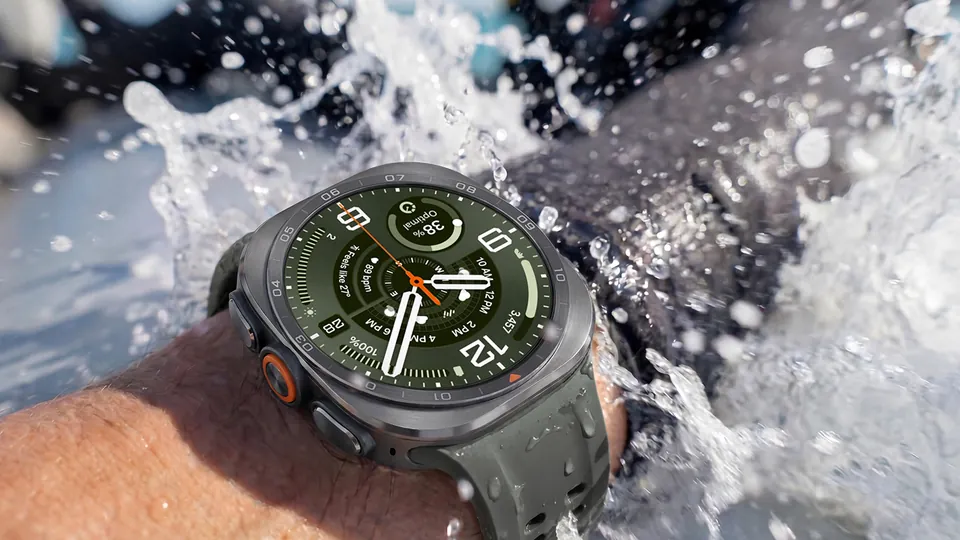
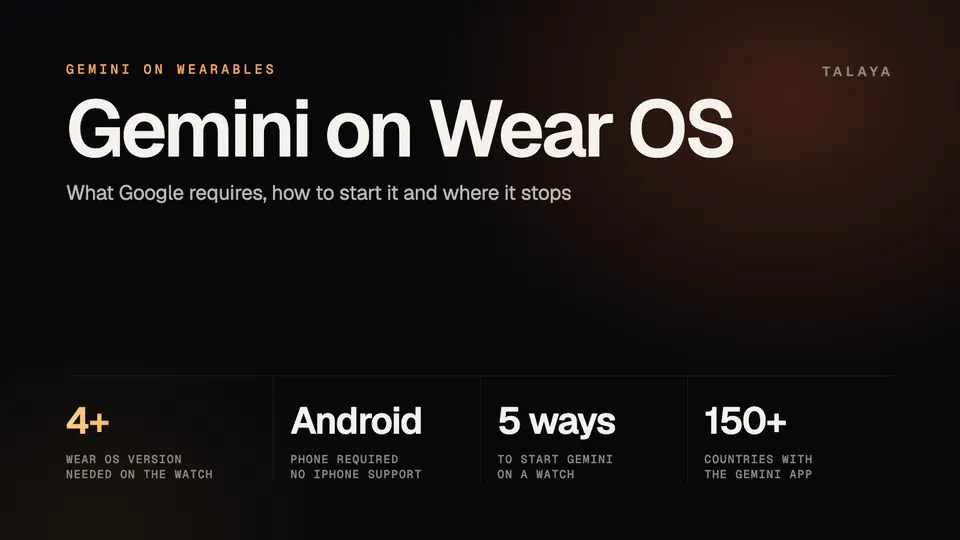
Gemini runs on Wear OS watches that have Wear OS 4 or later and are connected to an Android phone, and current Pixel Watch and Galaxy Watch models support it. It doesn't work with an iPhone. Google's help page says you need a connected Android device, Gemini set as that phone's digital assistant and Gemini in an eligible language and region.
This guide is based on Google's Gemini help pages and Wear OS announcements and on Google's and Samsung's watch pages as collected in Talaya's watch guides; Talaya hasn't used Gemini on these watches.
What you need
| What Google's help page requires | |
|---|---|
| Watch | A smartwatch running Wear OS 4 or later |
| Phone | A connection to an Android device, with Gemini set as its digital assist app |
| Language and region | Gemini in an eligible language and region |
The phone has to be Android. Pixel Watch 5 works with phones running Android 12 or newer, and Samsung lists Android 13 or higher for the Galaxy Watch9 and Ultra2, plus a phone that supports Google Mobile Services. Our Pixel Watch guide and Galaxy Watch guide have the details.
Google's watch page doesn't list languages or countries. It says Google is releasing Gemini on watches "wherever the Gemini mobile app is available." The mobile app's availability page says the app works in "multiple languages and more than 150 countries" and lists the languages. It marks some with an asterisk, among them Czech, Finnish, Greek and Romanian, meaning no "Hey Google" voice commands and fewer action features. English, Spanish, French, German, Italian, Japanese, Korean and Portuguese carry no asterisk.
The same page sets the minimum age for the mobile app at 13, or the applicable age in your country, and says a work or school account needs access to Gemini Apps. The footnotes on Google's Pixel Watch 5 announcement limit that watch's Gemini features to users 18 and older, as our Pixel Watch guide notes.
Which watches support Gemini
Google didn't publish a model-by-model list in the pages we read. In a July 9, 2025 post, its Wear OS team wrote that Gemini "begins rolling out to Wear OS watches, including those from Pixel, Samsung, OPPO, OnePlus and Xiaomi," on watches running Wear OS 4 or later. The help page adds that the release is gradual, so Gemini "might not be available to you just yet." It doesn't name individual models, so the test for an older watch is the Wear OS version it runs.
These current models document it, with US prices from our guides as of Oct. 25, 2026:
| Watch | Starting US price | What the maker says about Gemini |
|---|---|---|
| Pixel Watch 5 | $399 (41 mm), $429 (45 mm) | Google calls it designed for Gemini Intelligence; raise your wrist to talk |
| Galaxy Watch9 | $379.99 | Samsung says Gemini is built in, with Raise to Talk |
| Galaxy Watch Ultra2 | $699.99 at launch | Samsung's page has the same Raise to Talk section |
| Galaxy Watch8 Classic | Check Samsung's store | Samsung's page describes the same assistant |
Watches that don't run Wear OS don't get Gemini. Apple Watch uses Siri, and our comparison of Meta AI, Gemini and Siri shows where each assistant runs.
How to set up Gemini on your watch
Google's help page gives these steps:
- Set Gemini as the digital assistant on the Android phone your watch is connected to.
- Wake the watch screen or press a button, open the App menu and tap Gemini. If Gemini isn't there, download it from the Play Store.
- Follow the setup instructions on the watch and on the paired phone.
To let Gemini act in Gmail or Google Calendar, Google's Wear OS team says to enable those apps in the Gemini app settings on your phone and grant the permissions.
Five ways to start Gemini
- Press and hold the watch's designated button. Setup may be required, and the button varies by watch maker. Google's Wear OS team described it as the side button.
- Say "Hey Google." The watch has to be awake. To turn the hotword on or off, open Settings, tap Google, tap Digital assistant and tap "Hey Google."
- Add Gemini to your watch face as a complication and tap it.
- Add Gemini as a tile in the watch app and swipe to it.
- On some Wear OS watches, use Raise to Talk: bring your wrist close to your mouth and speak, with no hotword or button. Google says to follow the watch maker's instructions for turning it on, and warns that your arm movement can start Gemini by accident. Google's Pixel Watch 5 announcement and Samsung's pages for the Galaxy Watch9 and Ultra2 describe it.
What Gemini can do on a watch
Google's help page sorts the uses into five groups: stay connected, handle tasks across apps, answer questions, recall important details and control music. Google's Wear OS team gave examples of what to say, such as "Do I need an umbrella today?" for a quick answer and "Summarize my last email from Emily." for your inbox. For memory, it suggested "Remember I parked on level 4, spot 27." and "Remind me to go grocery shopping after work." It also showed messaging, calendar entries and navigation: "Send a message to Nadja apologizing for running late," "Add my son's next five baseball games to my calendar" and "What is the address for my dentist appointment today? Navigate there."
On Pixel Watch 5, Google adds that you can start a workout, set a timer or pull up a dinner reservation from Gmail. Proactive suggestions go further. If someone asks when the family dinner is, Gemini finds the answer in your calendar and shows it on your wrist, and a double pinch confirms it, as our Pixel Watch guide explains.
Which apps it works with
Google services come first. Google's Wear OS team says Gemini can use services such as Gmail and Google Calendar once you enable them. Google's Connected Apps page adds that Gemini automatically uses public information from Google Search, Google Flights, Google Hotels, Google Maps and YouTube, and that Flights, Hotels, Maps and YouTube need Keep Activity to be on.
The same page gives examples of other apps: music from YouTube Music or Spotify, calls and messages through your default apps or WhatsApp on Android, calendar events in Google Calendar or third-party apps, and smart home control through Google Home. Google says the apps available vary by Gemini app, device and country, and the pages we read don't publish a list for watches. Each app's details page in your Connected Apps settings lists its supported actions and example prompts.
Watch makers add their own apps. Google said watches upgrading to Wear OS 6 would "include support with your watch brand's own apps," and Samsung's footnote says Gemini works with select apps. More is on the way for developers. Google's Wear OS 7 post describes AppFunctions, which would let you tell Gemini "Start tracking my run" to start a workout in Samsung Health, and task automation, such as placing a DoorDash order from the watch. Google calls the first an early access program and the second "coming soon." Our Google I/O 2026 analysis tracks their status.
What works offline
Little is documented. Google says the Pixel Watch 5 runs core Gemini actions on the watch, so they respond quickly even offline, but its footnotes for those features still list an internet connection. We found no equivalent statement for other watches, and Samsung's pages don't say where Gemini's requests are processed. Until the makers say otherwise, assume Gemini on other watches needs a connection.
Privacy settings
Google's pages tie Gemini on a watch to one account-level setting, Keep Activity. Google's activity page says that when you're signed in and Keep Activity is on, Google stores your Gemini Apps activity in your Google Account. You can review your prompts, delete the activity or turn Keep Activity off at any time in My Activity, and in the Gemini app it appears under Gemini Apps Activity. For people 18 and older, Keep Activity is on by default.
Turning it off has two effects, according to Google:
- Conversations are still saved with your account for up to 72 hours "to allow Google to provide the service and process any feedback," and they don't appear in your Gemini Apps Activity.
- Connected Apps stop working on watches. Google's Connected Apps page says that with Keep Activity off, they "won't be available on gemini.google.com, iOS devices, or smart watches."
A separate setting lets Google use your audio and Gemini Live videos and screenshares to improve its services. It is off by default and requires Keep Activity to be on. Google's page doesn't say whether it covers requests spoken to a watch.
Gemini on a watch uses the location permissions you've set for the Google app, and you can check them on the watch in Settings, under Location, App location permissions, Google Digital Assistant. The options are allow all the time, allow only while using the app, ask every time and don't allow. Saved home and work addresses can make answers more relevant. With a work or school account, your Gemini Apps Activity settings are controlled by your Google Workspace administrator.
Where it stops
- It needs an Android phone. There is no iPhone support, and Apple Watch uses Siri.
- The rollout is gradual and depends on language and region. "Hey Google" isn't available in every language the app supports.
- Google doesn't publish a list of third-party apps that work on watches, and Connected Apps are off when Keep Activity is off.
- Raise to Talk is limited to some watches.
- Google said in May that "select watches arriving later this year will come with Gemini Intelligence," its term for proactive and personalized help. Google calls Pixel Watch 5 "designed for Gemini Intelligence," as our Pixel Watch guide notes.
Frequently asked questions
Which smartwatches support Gemini?
Wear OS watches running Wear OS 4 or later. Google said on July 9, 2025 that Gemini was rolling out to watches from Pixel, Samsung, OPPO, OnePlus and Xiaomi, and Pixel Watch 5 and Galaxy Watch9 are among the current models that describe it. Google adds that the rollout is gradual.
Does Gemini work on an Apple Watch or with an iPhone?
No. Google's help page says you need a connection to an Android device and a watch running Wear OS 4 or later. Apple Watch uses Siri, which our assistant comparison covers.
How do I start Gemini on a Pixel Watch or Galaxy Watch?
Say "Hey Google," press and hold the watch's designated button, tap a Gemini complication or tile, or use Raise to Talk if your watch supports it. First make sure Gemini is the digital assistant on your connected Android phone, then open Gemini from the watch's app menu.
Why isn't Gemini on my watch?
Check three things Google lists: the watch runs Wear OS 4 or later, Gemini is set as the assistant on your connected Android phone, and your language and region are eligible. Google also says it is releasing Gemini on watches gradually, so it may not have reached you yet.
Does Gemini work offline on a smartwatch?
Only Google's Pixel Watch 5 documents it: Google says the watch runs core actions on the device so they respond quickly even offline. Google's footnotes for those Gemini features still list an internet connection, and Samsung's pages don't say where Gemini's requests are processed.
How do I turn off "Hey Google" on my watch?
On the watch, tap Settings, then Google, then Digital assistant, then "Hey Google," and switch detection off. Google's help page gives that path. You can still start Gemini with the watch's button, a complication or a tile.
Sources
- Gemini Apps Help: Use Gemini on your smartwatch
- Google: Gemini is coming to your Wear OS smartwatch (July 9, 2025)
- Gemini Apps Help: Gemini mobile app availability
- Gemini Apps Help: Use and manage Connected Apps in Gemini
- Gemini Apps Help: Manage and delete your activity in Gemini Apps
- Android Developers Blog: What's New in Wear OS 7 (May 19, 2026)
Join the conversation
Questions, or something to add? Talk about it with other smart glasses owners in r/Talaya, our community on Reddit.